

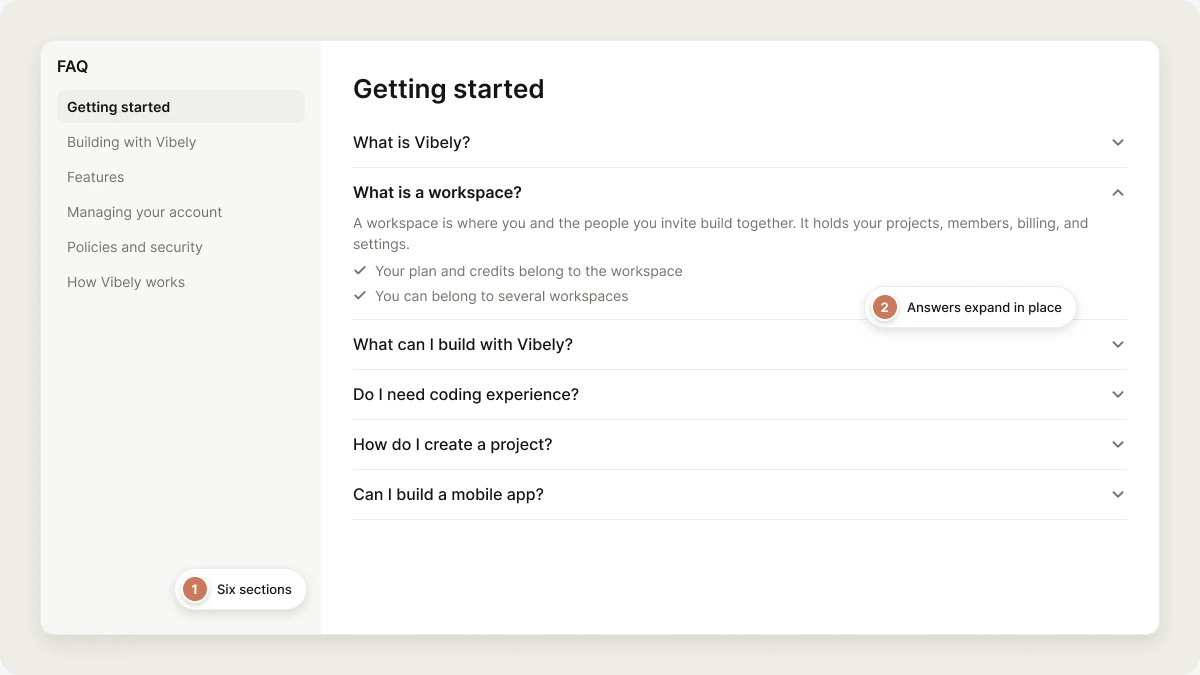
Getting started
What is Vibely?
What is Vibely?
What is a workspace?
What is a workspace?
- Your plan and credits belong to the workspace, and everyone in it builds from the same pool.
- You can belong to several workspaces and switch between them from the workspace switcher on the dashboard.
- Owners and admins can set usage limits and alerts so no one person uses up the shared credits.
What can I build with Vibely?
What can I build with Vibely?
Do I need coding experience?
Do I need coding experience?
How do I create a project?
How do I create a project?
Can I start from a template instead of a blank page?
Can I start from a template instead of a blank page?
Can I build a mobile app?
Can I build a mobile app?
Building with Vibely
How do I build efficiently?
How do I build efficiently?
- Start small: get the core working before adding logins, databases, and integrations.
- Ask for one change at a time and check the preview after each.
- Use Plan mode for large features, so you agree on the approach before code is written.
- Put rules you want followed every time in Knowledge instead of repeating them.
How should I structure my prompts?
How should I structure my prompts?
What should I do when I hit an error?
What should I do when I hit an error?
Can I connect a backend to store data?
Can I connect a backend to store data?
Can I add login to my app?
Can I add login to my app?
Can I add third-party APIs?
Can I add third-party APIs?
Can I store sensitive API keys?
Can I store sensitive API keys?
How do I add payments?
How do I add payments?
How can I improve SEO and AI search visibility?
How can I improve SEO and AI search visibility?
How long does it take to build a project?
How long does it take to build a project?
Features
How do I find project settings?
How do I find project settings?
Can I control who can see my project?
Can I control who can see my project?
Can I rename a project?
Can I rename a project?
How do I duplicate a project?
How do I duplicate a project?
Can I delete a project?
Can I delete a project?
What is Plan mode?
What is Plan mode?
Can I see and edit the code?
Can I see and edit the code?
Can I edit text or colors by hand?
Can I edit text or colors by hand?
Can I collaborate on my projects?
Can I collaborate on my projects?
Does Vibely host my published app?
Does Vibely host my published app?
vibelyagent.com address on every plan. See Hosting.How do I publish my project?
How do I publish my project?
How do I use my own domain?
How do I use my own domain?
Can I see analytics for my published app?
Can I see analytics for my published app?
Can I add images to a prompt?
Can I add images to a prompt?
Can I export all of my project's code?
Can I export all of my project's code?
How do I see my project history and restore an earlier version?
How do I see my project history and restore an earlier version?
Can I use Vibely from Claude, ChatGPT, or Cursor?
Can I use Vibely from Claude, ChatGPT, or Cursor?
Managing your account
How do I cancel my subscription?
How do I cancel my subscription?
Can I delete my account?
Can I delete my account?
delete my account to confirm. This permanently deletes your account, workspaces, projects, and data. If you own a workspace that still has other members, delete or transfer it first. See Delete your account.How do I turn on two-factor authentication?
How do I turn on two-factor authentication?
Why is Vibely asking for my two-factor code before I publish?
Why is Vibely asking for my two-factor code before I publish?
How do I invite my team?
How do I invite my team?
Policies and security
How can I get support?
How can I get support?
Where can I find the privacy policy and terms?
Where can I find the privacy policy and terms?
Does Vibely use my data to train AI models?
Does Vibely use my data to train AI models?
What is the refund policy?
What is the refund policy?
Is Vibely compliant with security standards?
Is Vibely compliant with security standards?
How do I keep my app secure?
How do I keep my app secure?
How Vibely works
What tech stack does Vibely use?
What tech stack does Vibely use?
- Web projects: Vite, React, TypeScript, Tailwind CSS, and shadcn/ui.
- Mobile projects: Expo and React Native, with Expo Router.
- Backend: your own Supabase project (Postgres, auth, storage, and edge functions).
How does Vibely remember context?
How does Vibely remember context?
Who owns the code Vibely creates?
Who owns the code Vibely creates?