

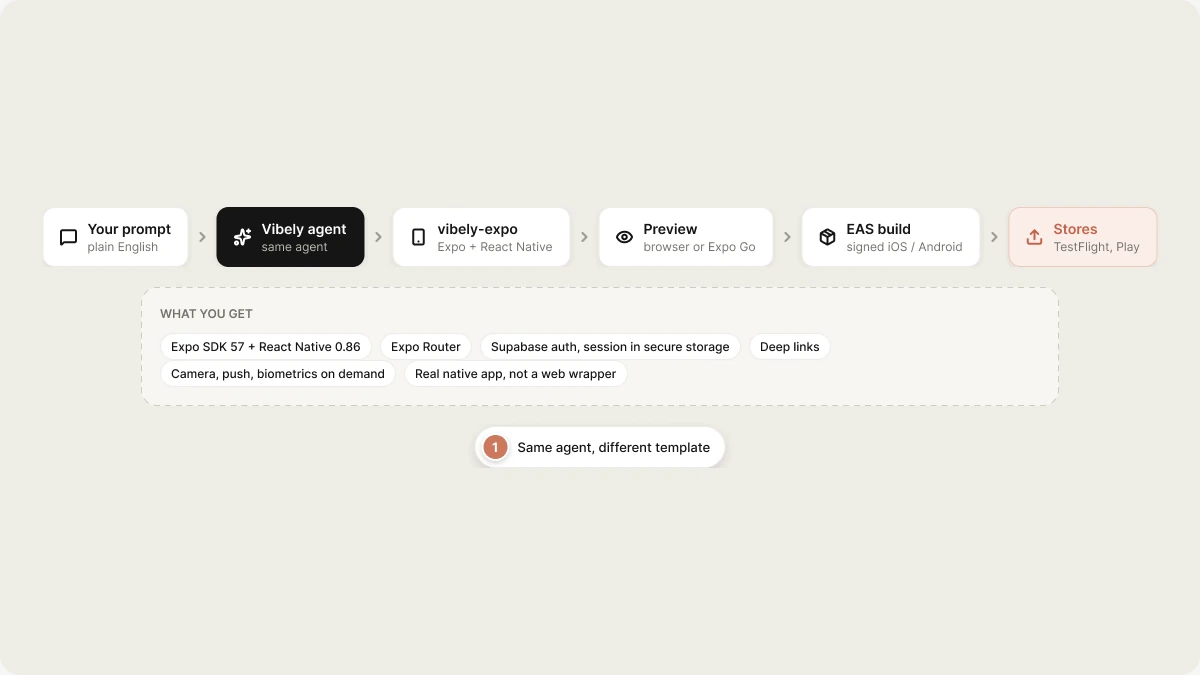
vibely-expo (Expo + React Native). You get a real native app you can preview in a web browser during development, scan with Expo Go for on-device testing, and ship to the App Store or Play Store via EAS.
Quickstart
Build your first mobile app in under 10 minutes.
Templates
What
vibely-expo ships with: navigation, auth, native modules.Native capabilities
Camera, push, geolocation, biometrics, payments.
Ship to stores
EAS builds, TestFlight, Play Console.
What you get
Anything not in that list — forms, camera, push notifications, biometrics, secure
storage, charts — is one
add_dependency away; the agent installs it on demand
rather than shipping it unused in every project.
Preview during development
Two preview modes, simultaneous, kept in sync by Metro:- Web preview — same iframe pattern as web apps. Metro’s web target builds the app for browser, served from
<short-id>.vibelyagent.com. Useful for fast iteration; not all native modules work here. - Expo Go on your phone — scan the QR code in the project header with Expo Go on iOS or Android. Real device, real native modules, hot reload. Use this whenever you touch native APIs.
How a build works
When to use Mobile App Mode
Limits
- Native modules that aren’t in the Expo SDK require an EAS build (no longer Expo Go-compatible). The agent will tell you when a feature crosses that line.
- iOS publishing requires a paid Apple Developer account ($99/yr).
- Android publishing requires a Play Console account ($25 one-time).
- In-app purchases on iOS/Android still go through Apple/Google — Stripe-style web checkout is not allowed by store policy. Use
expo-in-app-purchases(managed by EAS) or RevenueCat (via Connectors). - The dev web preview doesn’t support every native API. Switch to Expo Go before testing camera, push, biometrics, etc.
Web + mobile from the same brief
If your product needs both, build them as two projects with a shared backend:- Web App Mode project for the marketing site / admin dashboard.
- Mobile App Mode project for the native app.