

How to connect a custom MCP server
You need the server’s HTTPS URL and, depending on the server, a credential. There are two places to add one.- Customize → Connectors
- Settings → Connectors
The quickest way, for servers that sign you in with OAuth or need no credentials.
1
Open the form
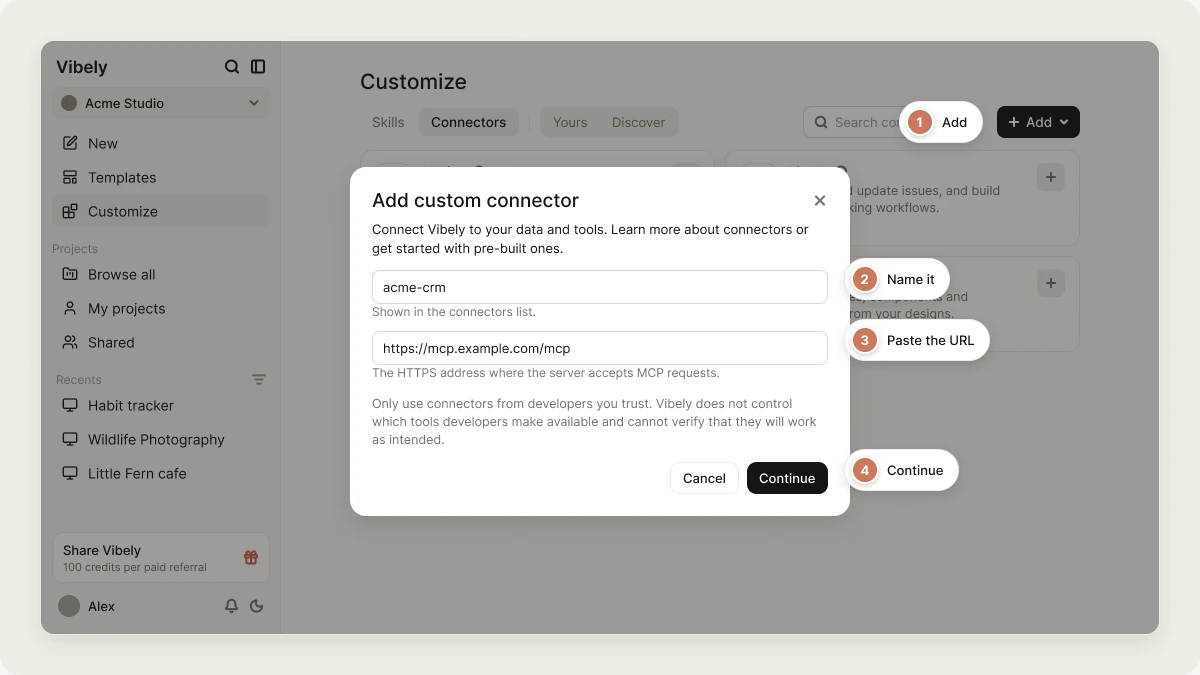
Open Customize → Connectors and click Add. The Add custom connector dialog opens.
2
Name the server
Enter a Name, for example
acme-crm. It’s shown in the connectors list and saved as a lowercase slug.3
Enter the URL
Enter the MCP server URL, the HTTPS address where the server accepts MCP requests, for example
https://mcp.example.com/mcp.4
Add it
Click Continue. The server appears in the catalog under the Custom category. Open it to connect and to see the tools it offers.
Requirements
- The URL must be reachable from the public internet. Vibely refuses URLs that point at
localhostor private network addresses. - Use an HTTPS URL. The Customize → Connectors form only accepts
https://. - Each server name must be unique in your account.
What the agent can do with it
Once connected, the agent can call the server’s tools during your builds, in any of your projects. The same approval rules apply as for catalog connectors: read-only tools run without asking, while tools that create, change, delete, or send something ask for your approval first.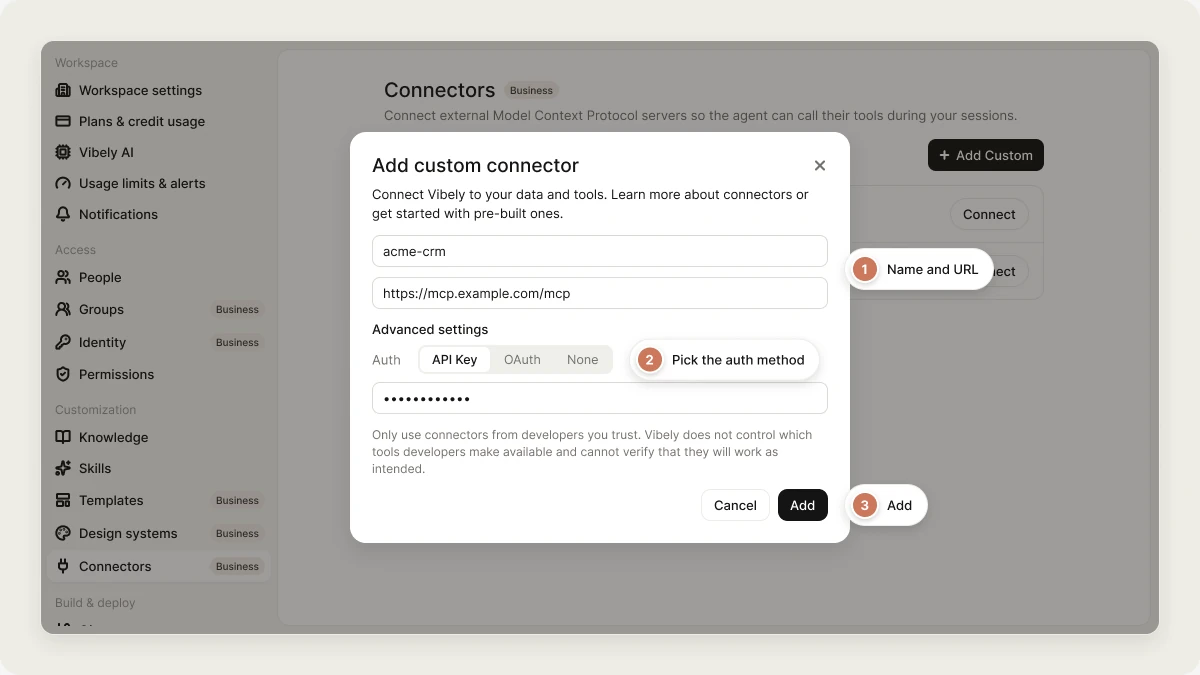
Manage custom MCP servers
- Remove a server: in Settings → Connectors, click Remove next to it. This deletes its stored API key or OAuth token.
- Change the URL or credentials: remove the server and add it again.
- Workspace controls: on the Business plan, an admin can turn off Remote MCP connectors in Settings → Privacy & security. That withholds every MCP server, custom ones included, from the agent across the workspace. See Admin controls.
FAQ
Which plans support custom MCP servers?
Which plans support custom MCP servers?
All plans. The workspace-wide Remote MCP connectors switch that turns them off requires Business.
Can my published app use a custom MCP server?
Can my published app use a custom MCP server?
No. A custom MCP server only gives the agent context while it builds. For functionality in your published app, ask the agent to integrate the service’s API, or use an app connector.
Can other people in my workspace use my custom MCP server?
Can other people in my workspace use my custom MCP server?
No. MCP servers are stored against your own account. Teammates add the same server themselves with their own credentials.
Can I connect a server running on my own computer?
Can I connect a server running on my own computer?
No. Vibely’s backend connects to the server, so it has to be reachable over the public internet. Local and private-network addresses are refused.
Related
- App and chat connectors
- Admin controls
- External MCP servers (reference)
- Vibely MCP server: the other direction, where AI tools build in Vibely