

1
Sign in
Go to vibely.sh and sign in. New accounts get free credits — no card needed.
2
Pick Web App
On the new-project screen, choose Web App. This selects the
vibely-web template (Vite + React + Tailwind).3
Describe your app
Be concrete. “Build a CRM for solo consultants. Contacts, deals with stages, daily activity feed. Use Supabase auth (email + Google). Tailwind styling.” beats “make a CRM.”Tip: include the golden user flow, the data model in one sentence, and the look in one or two adjectives.
4
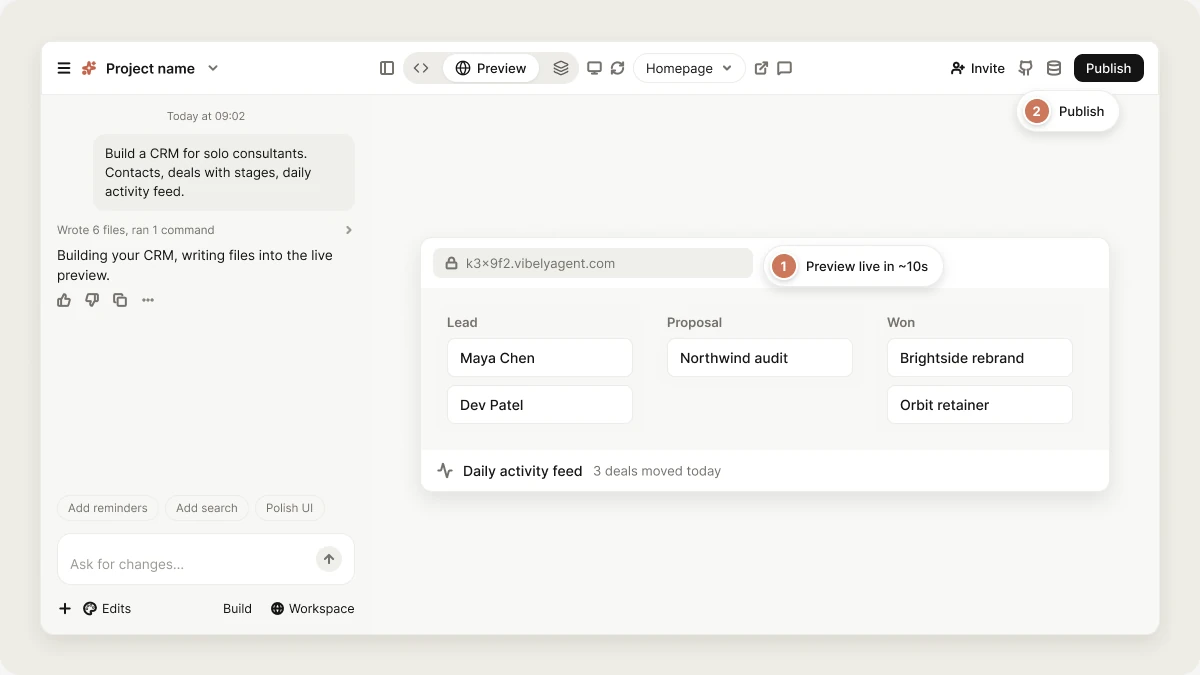
Watch the preview mount
Within ~10 seconds the right pane opens an iframe at a
*.vibelyagent.com URL. The dev server is already running at this point — what fills in is the agent writing files into the live tree, hot-reloaded on each save.5
Iterate
Keep prompting. “Add a kanban view.” “Make the sidebar collapsible.” “When a deal is dragged to Won, send a Slack message.” Each turn appends to the same chat and runs against the same sandbox.
6
Publish
Click Publish to get a stable
your-vibelyagent.com URL, or connect your own domain. See Publishing.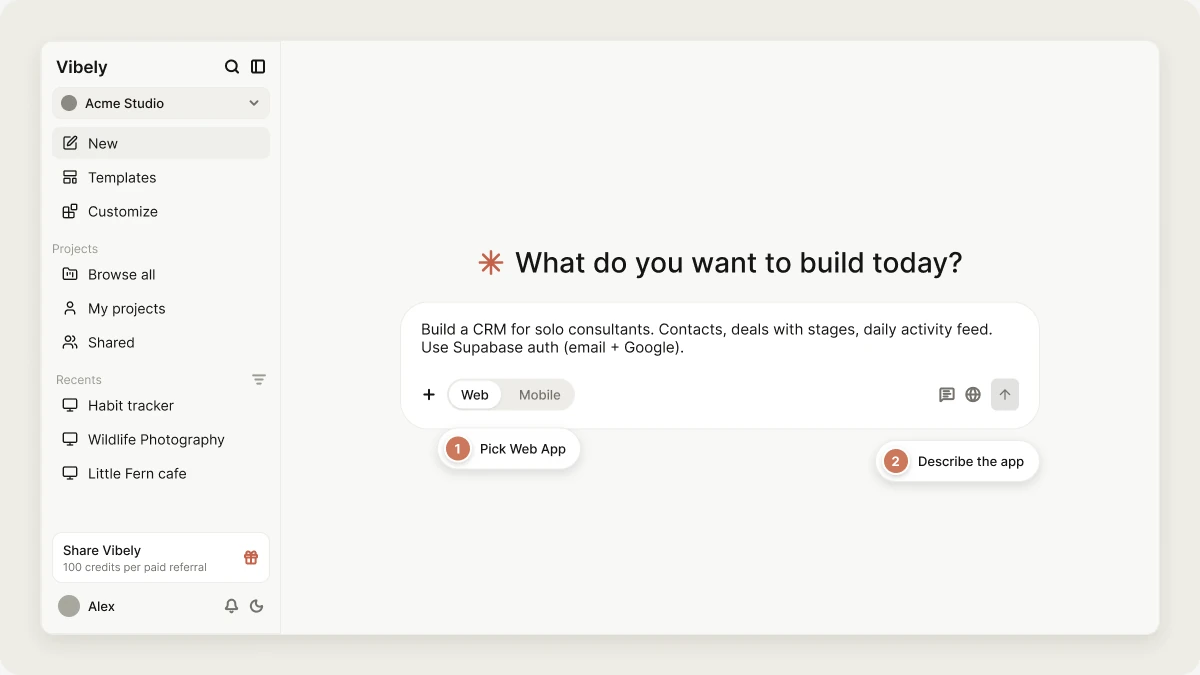
Tips for a good first prompt
- State the user, not the feature. “A waitlist signup for indie hackers” gives the agent more to work with than “a form”.
- Pick the data model up front. Naming the entities (“posts have comments and reactions”) prevents three rounds of schema rework.
- Mention auth early. Adding auth after the fact requires migrating routes — much cheaper to ask for it from the start.
- Pick a vibe. “Minimal, lots of whitespace, monochrome” or “playful, bright, rounded corners” — one phrase is enough to anchor the design.
What “good” looks like at the end of turn 1
After your first prompt the agent should have:- A multi-page app skeleton with at least the home, an auth flow, and one core screen.
- Real components (no
<div>Coming soon</div>placeholders). - Working navigation between pages.
- Tailwind tokens consistent across pages.
- A Supabase schema if you mentioned data.
lorem ipsum, prompt: “Replace all placeholder text with real content matching the brief.” That’s a known model failure mode and we patch it on retry.
Common follow-ups
Next
Iterate effectively
Make changes without breaking what’s working.
Publish your app
Custom domain and how preview URLs work.