
SKILL.md file that bundles a recipe the agent should follow when you invoke it. When you type /skill-name in the composer, Vibely injects the skill’s instructions into the system prompt for that turn. The agent then runs that recipe — same context the always-on layers get, scoped to the moment you asked for it.
Where they live
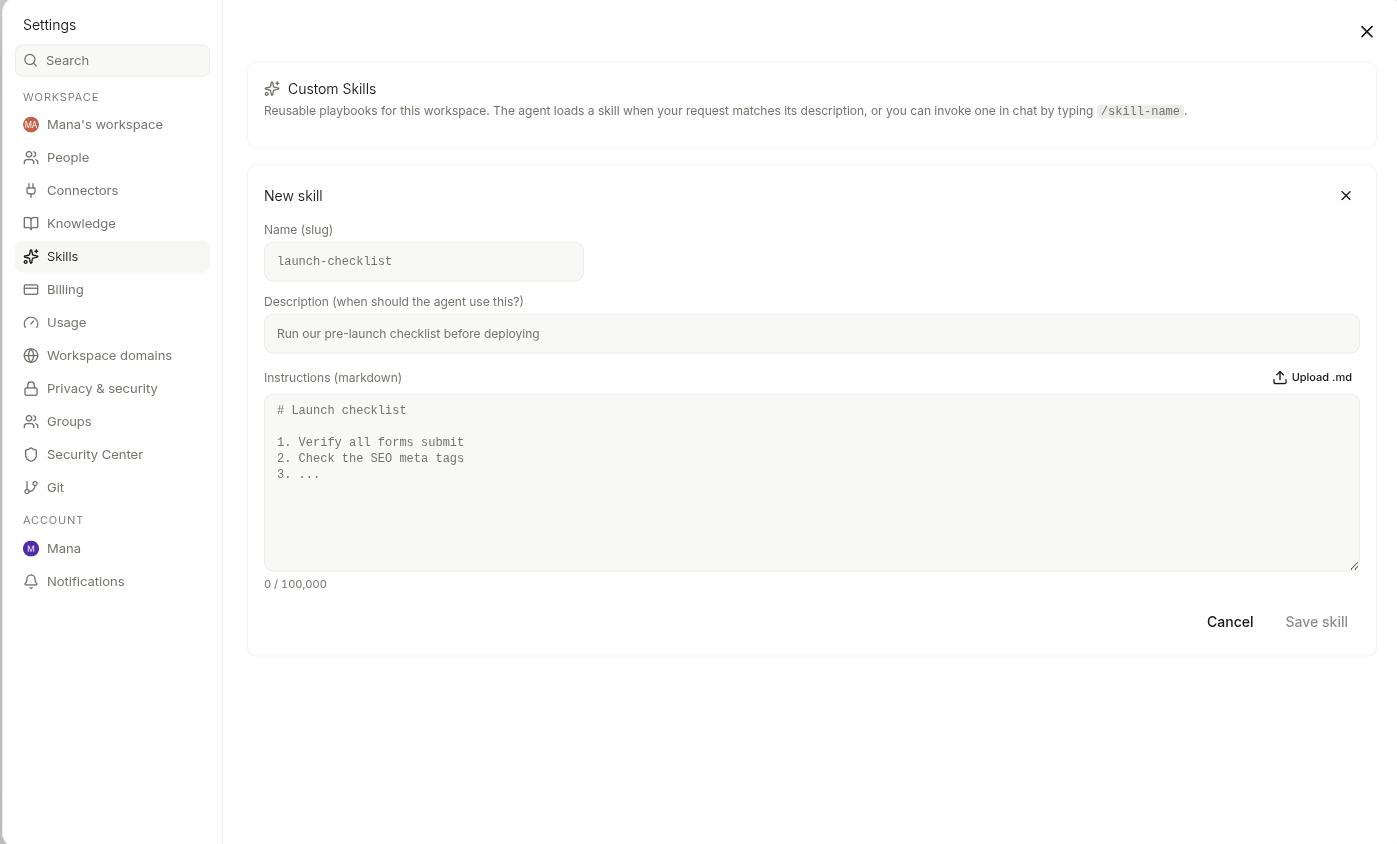
Settings → Skills. The list shows every skill available in your current workspace — both the ones seeded by Vibely and the ones you’ve authored. Each skill has:- A name (what you type after the slash)
- A list of modes it surfaces in — web, mobile, design, or any combination
Authoring a skill
Open Settings → Skills → New skill. Give it a name, paste theSKILL.md, pick which modes it should surface in, and save. The skill is invocable from the composer immediately.
A SKILL.md is just Markdown. Write it like the handover note a colleague would actually find useful — what the goal is, the steps to follow, the conventions to apply, the gotchas to avoid. The agent reads the whole file when invoked.
Uploading an existing SKILL.md
If you already have aSKILL.md somewhere — from another tool, a teammate’s share, a previous project — drag the file into the new-skill dialog. Vibely parses the frontmatter (name, modes, description) so you don’t retype it.
Invoking from the composer
Type/ in the composer to open the skills menu. Filter by name, click to insert, then send your prompt. The agent sees your prompt and the skill’s instructions for that turn.
You can chain a skill with a normal prompt — "/landing-page our new pricing announcement" runs the landing-page skill scoped to that announcement.
Mode-aware filtering
The composer only shows you skills that match the current mode:- Web App mode surfaces skills marked
web - Mobile App mode surfaces skills marked
mobile - Design mode surfaces skills marked
design
Built-in skills
Vibely ships a curated catalog of skills out of the box — starters for the most common flows in web, mobile, and design mode. They appear in the same list as your own, marked as built-in. Treat them as both useful on their own and a reference for the shape of a goodSKILL.md when you’re authoring your own.
You can’t edit a built-in skill, but you can copy it, edit the copy, and use yours instead.
Workspace vs personal scope
- Workspace skills are visible to every member of the workspace. Use this for team playbooks, shared conventions, and anything you’d want a teammate to use the same way you do.
- Personal skills are only visible to you. Use this for your own habits or works-in-progress you don’t want to push to the team yet.
When to use a skill vs project memory vs knowledge
- Skills — on-demand recipes you invoke from the composer when you need them.
- Project memory — facts about this project the agent should remember on every turn (lives at
.mana/memory.md). - Knowledge — workspace facts the agent can search and cite mid-turn.
Related
Project memory
Pin facts for the agent to remember in this project.
Web App iterate
Where the composer menu lives for web builds.
Design skills
Design-mode skills and the seeded catalog.
Customize overview
Map of every account- and workspace-level setting.