
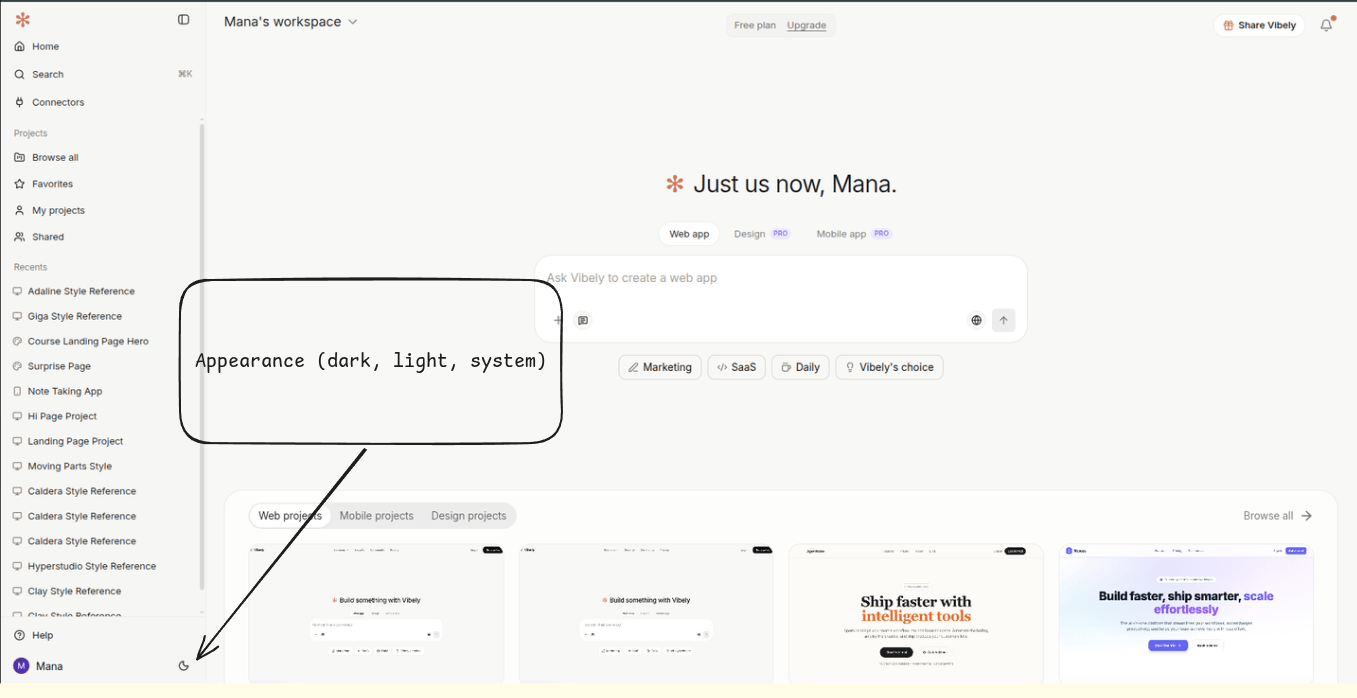
Switching theme
Click your avatar in the top-right and pick Appearance, then choose one of:- Light — bright UI with terracotta primary
- Dark — neutral grey UI with terracotta primary; the default after sunset on system
- System — follows your OS setting and re-checks when the OS theme changes
How it persists
Your choice is saved to the browser’slocalStorage under the key vibely:theme. That means:
- It follows you in the same browser, on every device-signed-in tab.
- It does not follow you across browsers or devices — switching from your laptop to your phone will fall back to system until you set it again.
- Incognito / private windows start fresh on system every time.
What “system” actually does
System listens for the OS preference (prefers-color-scheme: dark in the browser). On macOS that flips at sunset if you’re on auto Appearance; on Windows it follows your personalization setting; on Linux it follows your desktop environment’s hint.
If you’ve explicitly picked Light or Dark, Vibely ignores the OS — your choice wins until you switch back to System.
Generated apps inherit nothing
The theme you pick is for the Vibely product, not for the apps you build. A generated Vite + React project ships with its owntheme.css and Tailwind config; that’s edited in code (or by prompting the agent), not from the avatar menu.
If you want your generated app to default to dark, prompt:
“Default the app to dark mode on first load, with a toggle in the navbar.”
Accent colour
The product accent is fixed to Vibely terracotta (#C97B5E). There’s no UI to swap it. Theme tokens inside a generated project (Tailwind colours, design tokens, theme.css) are fully yours — edit them in code.