
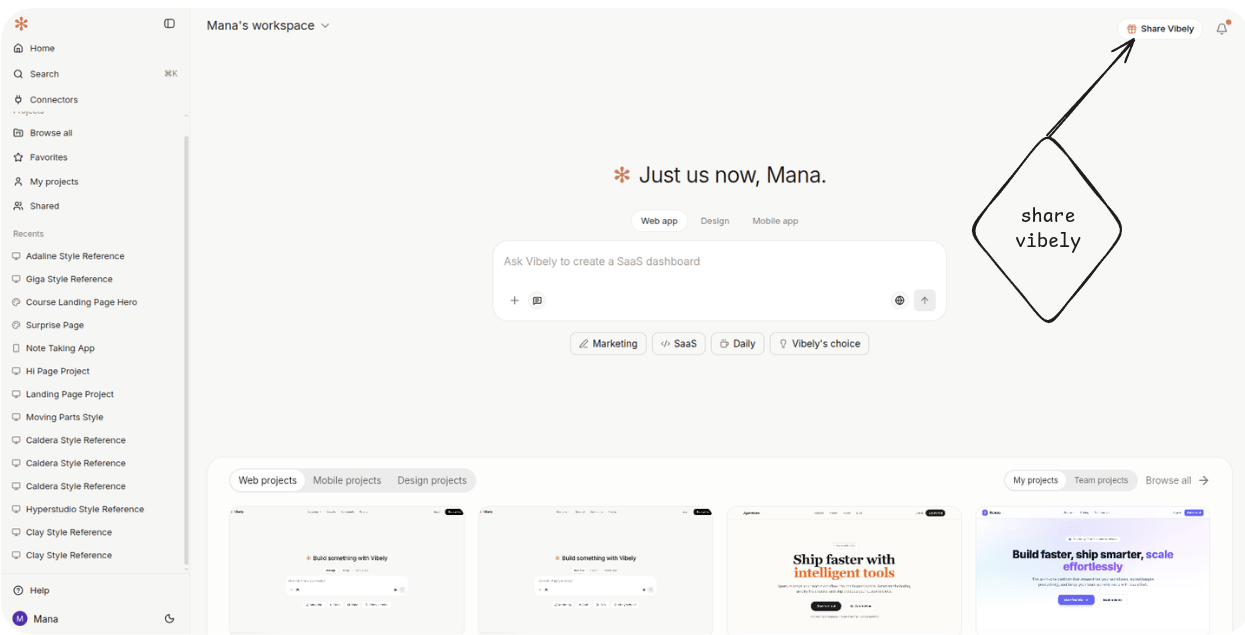
The CTA
The Share Vibely button sits in the header on every page once you’re signed in. Click it to open the referrals dialog. The dialog has three things in it:- Your link — a personalised URL you can copy or share to socials directly.
- Stats — how many friends have clicked, signed up, and converted to paid.
- Terms — the rules of the program in one short paragraph (so nobody has to dig through a separate marketing page).
The reward
100 credits per paid referral. When someone you sent converts to a paid plan, the credit grant lands on your account. There’s no cap on the number of referrals you can earn from. The grant is one-shot per referred friend — they upgrade, you get 100. It doesn’t recur month over month.How the capture works
When a new user lands on Vibely via your referral link, the referral is recorded the first time their browser loads the signup screen. They sign up normally; your link travels with their account from that point on. This means you don’t have to push them through any special signup path — sharing the link they got is enough. Even if they bookmark the homepage and come back days later, the referral is preserved.When credits land
Credits land after the referred friend’s first paid subscription confirms, not at signup. Free signups don’t earn the grant — that’s the “paid” in “paid referral.” You’ll see the grant in your usage breakdown the same way any other credit grant appears, and the referrals dialog stats update to count the conversion.Related
Plans and credits
How credits work, how they’re granted, and what they buy.
Dashboard
Where the Share Vibely button lives in the header.