> ## Documentation Index
> Fetch the complete documentation index at: https://docs.vibely.sh/llms.txt
> Use this file to discover all available pages before exploring further.
# MCP Client Overview
> Connect external MCP servers to the Vibely build agent
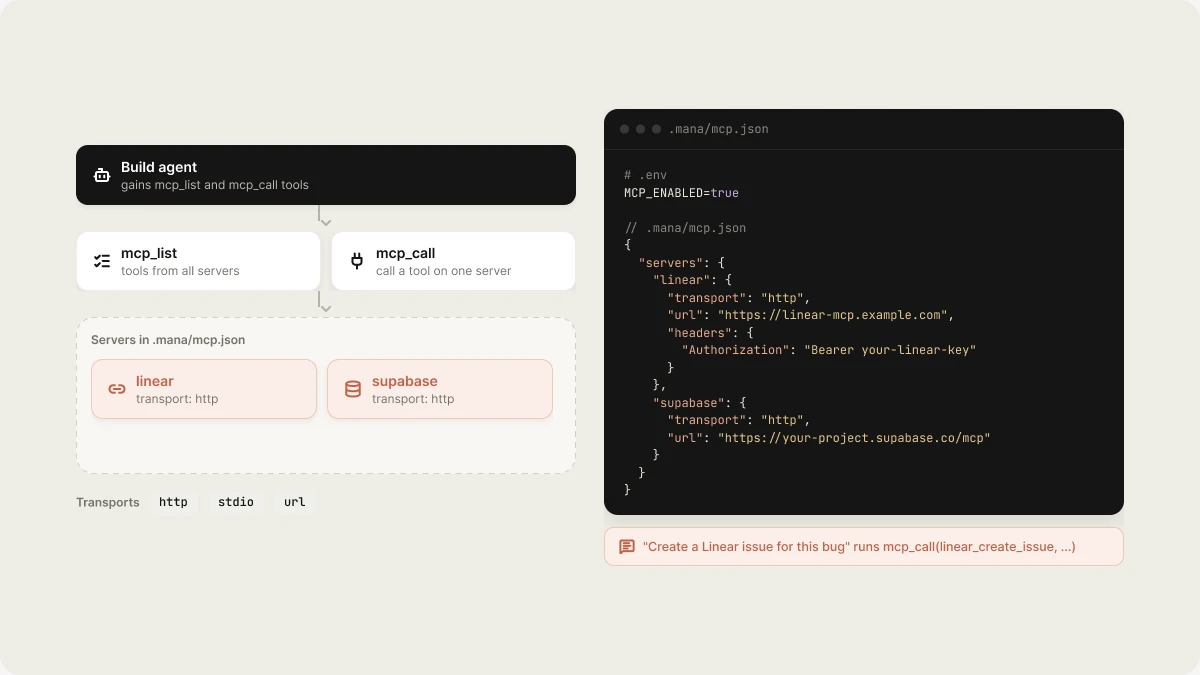
Vibely can connect to external MCP (Model Context Protocol) servers. When configured, the build agent gains `mcp_list` and `mcp_call` tools — it can invoke your APIs and query your databases during a build.
 ## How it works
```
Build Agent
│
├─ mcp_list → List tools from all connected servers
└─ mcp_call → Invoke a tool on a specific server
```
## Setup
Enable MCP in `.env`:
```env theme={"system"}
MCP_ENABLED=true
```
Configure servers in `.mana/mcp.json`:
```json theme={"system"}
{
"servers": {
"linear": {
"transport": "http",
"url": "https://linear-mcp.example.com",
"headers": {
"Authorization": "Bearer your-linear-key"
}
},
"supabase": {
"transport": "http",
"url": "https://your-project.supabase.co/mcp"
}
}
}
```
See `.mana/mcp.example.json` for a starter config.
## Supported transports
| Transport | Description |
| - | - |
| `http` | Remote HTTP/SSE endpoint |
| `stdio` | Local process (command + args) |
| `url` | Streamable HTTP URL |
## Managing servers
Use the [MCP Servers API](/api-reference/mcp-servers) to register, test, and manage servers programmatically. Servers can also be managed through the admin dashboard.
## Enabling in a build
When a user mentions a service with an MCP connector, the agent automatically lists and calls relevant tools. No special prompt needed — "Create a Linear issue for this bug" triggers `mcp_call(linear_create_issue, ...)`.
## Related topics
- [Start a build from outside Vibely](/guides/build-from-chat.md)
- [API Overview](/api-reference/overview.md)
- [Build Mode Overview](/reference/engine/overview.md)
- [MCP Tools](/reference/mcp/tools.md)
- [Vibely MCP server](/integrations/vibely-mcp-server.md)
This documentation is built and hosted on [Mintlify](https://mintlify.com), a developer documentation platform.
## How it works
```
Build Agent
│
├─ mcp_list → List tools from all connected servers
└─ mcp_call → Invoke a tool on a specific server
```
## Setup
Enable MCP in `.env`:
```env theme={"system"}
MCP_ENABLED=true
```
Configure servers in `.mana/mcp.json`:
```json theme={"system"}
{
"servers": {
"linear": {
"transport": "http",
"url": "https://linear-mcp.example.com",
"headers": {
"Authorization": "Bearer your-linear-key"
}
},
"supabase": {
"transport": "http",
"url": "https://your-project.supabase.co/mcp"
}
}
}
```
See `.mana/mcp.example.json` for a starter config.
## Supported transports
| Transport | Description |
| - | - |
| `http` | Remote HTTP/SSE endpoint |
| `stdio` | Local process (command + args) |
| `url` | Streamable HTTP URL |
## Managing servers
Use the [MCP Servers API](/api-reference/mcp-servers) to register, test, and manage servers programmatically. Servers can also be managed through the admin dashboard.
## Enabling in a build
When a user mentions a service with an MCP connector, the agent automatically lists and calls relevant tools. No special prompt needed — "Create a Linear issue for this bug" triggers `mcp_call(linear_create_issue, ...)`.
## Related topics
- [Start a build from outside Vibely](/guides/build-from-chat.md)
- [API Overview](/api-reference/overview.md)
- [Build Mode Overview](/reference/engine/overview.md)
- [MCP Tools](/reference/mcp/tools.md)
- [Vibely MCP server](/integrations/vibely-mcp-server.md)
This documentation is built and hosted on [Mintlify](https://mintlify.com), a developer documentation platform.