> ## Documentation Index
> Fetch the complete documentation index at: https://docs.vibely.sh/llms.txt
> Use this file to discover all available pages before exploring further.
# External MCP Servers
> Reference for connecting popular MCP servers
Vibely works with any MCP-compatible server. Here are configuration examples for popular ones.
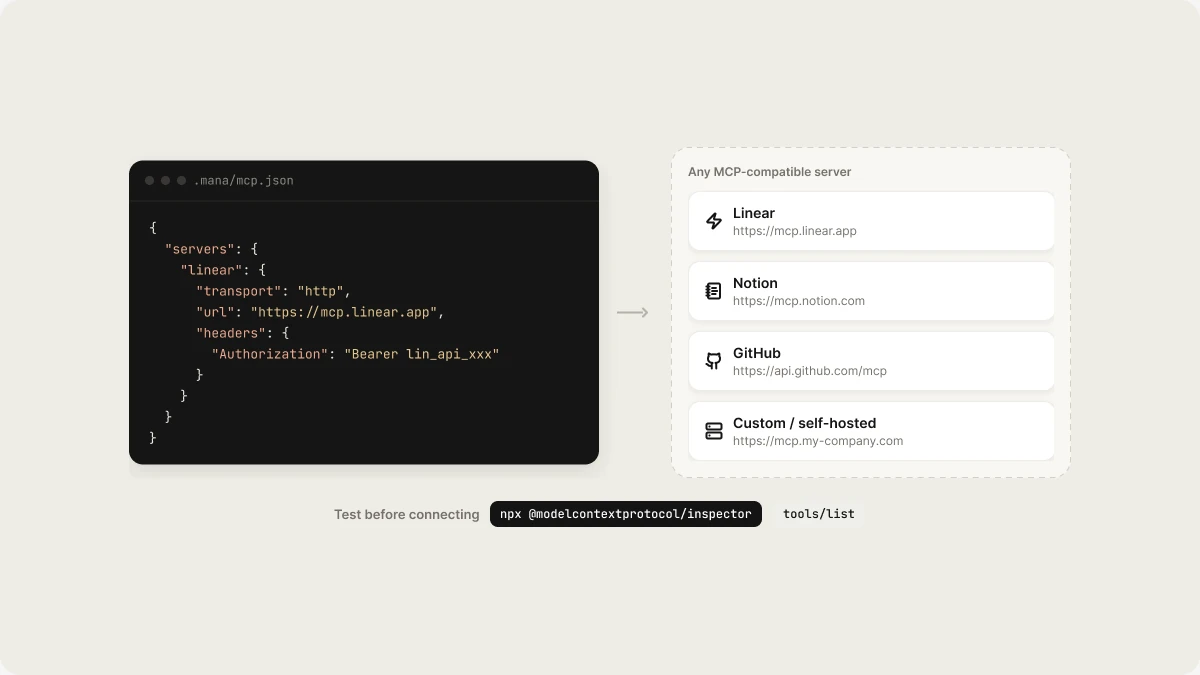 ## Linear
```json theme={"system"}
{
"servers": {
"linear": {
"transport": "http",
"url": "https://mcp.linear.app",
"headers": {
"Authorization": "Bearer lin_api_xxx"
}
}
}
}
```
Tools exposed: `linear_search_issues`, `linear_create_issue`, `linear_update_issue`, `linear_get_teams`
## Notion
```json theme={"system"}
{
"servers": {
"notion": {
"transport": "http",
"url": "https://mcp.notion.com",
"headers": {
"Authorization": "Bearer ntn_xxx"
}
}
}
}
```
## GitHub
```json theme={"system"}
{
"servers": {
"github": {
"transport": "http",
"url": "https://api.github.com/mcp",
"headers": {
"Authorization": "Bearer ghp_xxx"
}
}
}
}
```
## Custom / self-hosted
Any MCP server that speaks the protocol works. Point `url` at your endpoint:
```json theme={"system"}
{
"servers": {
"my-internal-api": {
"transport": "http",
"url": "https://mcp.my-company.com",
"headers": {
"Authorization": "Bearer "
}
}
}
}
```
## Inspecting tools
To see what tools a server exposes before connecting it to Vibely, use the MCP inspector:
```bash theme={"system"}
npx @modelcontextprotocol/inspector
```
Or test with curl against the server's `tools/list` endpoint directly.
## Related topics
- [MCP Servers API](/api-reference/mcp-servers.md)
- [Connect a custom MCP server](/integrations/connectors/custom-mcp.md)
- [MCP Client Overview](/reference/mcp/overview.md)
- [Workspace admin settings](/features/workspace/admin-settings.md)
- [Start a build from outside Vibely](/guides/build-from-chat.md)
This documentation is built and hosted on [Mintlify](https://mintlify.com), a developer documentation platform.
## Linear
```json theme={"system"}
{
"servers": {
"linear": {
"transport": "http",
"url": "https://mcp.linear.app",
"headers": {
"Authorization": "Bearer lin_api_xxx"
}
}
}
}
```
Tools exposed: `linear_search_issues`, `linear_create_issue`, `linear_update_issue`, `linear_get_teams`
## Notion
```json theme={"system"}
{
"servers": {
"notion": {
"transport": "http",
"url": "https://mcp.notion.com",
"headers": {
"Authorization": "Bearer ntn_xxx"
}
}
}
}
```
## GitHub
```json theme={"system"}
{
"servers": {
"github": {
"transport": "http",
"url": "https://api.github.com/mcp",
"headers": {
"Authorization": "Bearer ghp_xxx"
}
}
}
}
```
## Custom / self-hosted
Any MCP server that speaks the protocol works. Point `url` at your endpoint:
```json theme={"system"}
{
"servers": {
"my-internal-api": {
"transport": "http",
"url": "https://mcp.my-company.com",
"headers": {
"Authorization": "Bearer "
}
}
}
}
```
## Inspecting tools
To see what tools a server exposes before connecting it to Vibely, use the MCP inspector:
```bash theme={"system"}
npx @modelcontextprotocol/inspector
```
Or test with curl against the server's `tools/list` endpoint directly.
## Related topics
- [MCP Servers API](/api-reference/mcp-servers.md)
- [Connect a custom MCP server](/integrations/connectors/custom-mcp.md)
- [MCP Client Overview](/reference/mcp/overview.md)
- [Workspace admin settings](/features/workspace/admin-settings.md)
- [Start a build from outside Vibely](/guides/build-from-chat.md)
This documentation is built and hosted on [Mintlify](https://mintlify.com), a developer documentation platform.