> ## Documentation Index
> Fetch the complete documentation index at: https://docs.vibely.sh/llms.txt
> Use this file to discover all available pages before exploring further.
# Connecting MCP Servers
> Configure MCP server connections for the build agent
 ## Configuration file
MCP servers are configured in `.mana/mcp.json` at the project root (or set `MCP_CONFIG_PATH` to point at a different file).
```json theme={"system"}
{
"servers": {
"": {
"transport": "http",
"url": "https://...",
"headers": {}
}
}
}
```
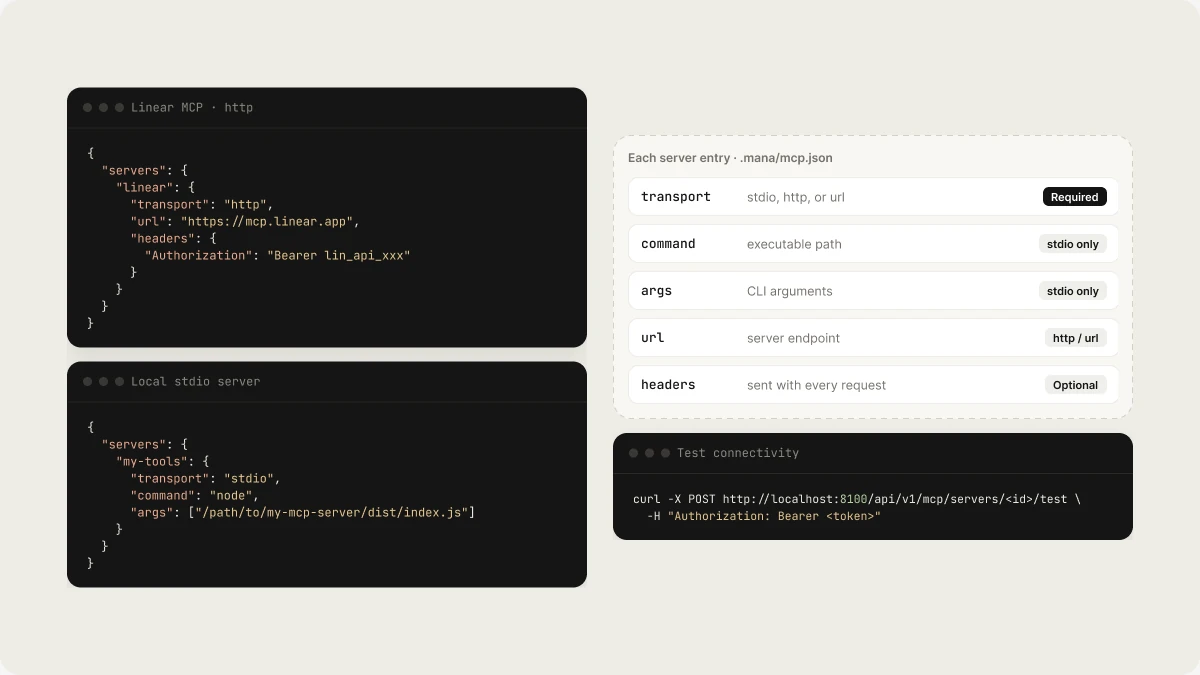
Each server entry needs:
| Field | Required | Description |
| - | - | - |
| `transport` | Yes | `stdio`, `http`, or `url` |
| `command` | stdio only | Executable path |
| `args` | stdio only | CLI arguments |
| `url` | http/url | Server endpoint |
| `headers` | optional | HTTP headers sent with every request |
## Example: Linear MCP
```json theme={"system"}
{
"servers": {
"linear": {
"transport": "http",
"url": "https://mcp.linear.app",
"headers": {
"Authorization": "Bearer lin_api_xxx"
}
}
}
}
```
## Example: Local stdio server
```json theme={"system"}
{
"servers": {
"my-tools": {
"transport": "stdio",
"command": "node",
"args": ["/path/to/my-mcp-server/dist/index.js"]
}
}
}
```
## Testing connectivity
Once configured, test a server with:
```bash theme={"system"}
curl -X POST http://localhost:8100/api/v1/mcp/servers//test \
-H "Authorization: Bearer "
```
Or use the admin dashboard → MCP Servers → Test.
## OAuth
For MCP providers that use OAuth (Notion, GitHub, etc.), Vibely handles the OAuth flow:
1. Admin registers the provider
2. User initiates OAuth from the dashboard
3. Vibely stores the access token and injects it into MCP requests
## Related topics
- [External MCP Servers](/reference/mcp/external-servers.md)
- [Vibely MCP server](/integrations/vibely-mcp-server.md)
- [MCP Servers API](/api-reference/mcp-servers.md)
- [Connect a custom MCP server](/integrations/connectors/custom-mcp.md)
- [Publish your app as an MCP server](/features/grow/agent-integrations.md)
This documentation is built and hosted on [Mintlify](https://mintlify.com), a developer documentation platform.
## Configuration file
MCP servers are configured in `.mana/mcp.json` at the project root (or set `MCP_CONFIG_PATH` to point at a different file).
```json theme={"system"}
{
"servers": {
"": {
"transport": "http",
"url": "https://...",
"headers": {}
}
}
}
```
Each server entry needs:
| Field | Required | Description |
| - | - | - |
| `transport` | Yes | `stdio`, `http`, or `url` |
| `command` | stdio only | Executable path |
| `args` | stdio only | CLI arguments |
| `url` | http/url | Server endpoint |
| `headers` | optional | HTTP headers sent with every request |
## Example: Linear MCP
```json theme={"system"}
{
"servers": {
"linear": {
"transport": "http",
"url": "https://mcp.linear.app",
"headers": {
"Authorization": "Bearer lin_api_xxx"
}
}
}
}
```
## Example: Local stdio server
```json theme={"system"}
{
"servers": {
"my-tools": {
"transport": "stdio",
"command": "node",
"args": ["/path/to/my-mcp-server/dist/index.js"]
}
}
}
```
## Testing connectivity
Once configured, test a server with:
```bash theme={"system"}
curl -X POST http://localhost:8100/api/v1/mcp/servers//test \
-H "Authorization: Bearer "
```
Or use the admin dashboard → MCP Servers → Test.
## OAuth
For MCP providers that use OAuth (Notion, GitHub, etc.), Vibely handles the OAuth flow:
1. Admin registers the provider
2. User initiates OAuth from the dashboard
3. Vibely stores the access token and injects it into MCP requests
## Related topics
- [External MCP Servers](/reference/mcp/external-servers.md)
- [Vibely MCP server](/integrations/vibely-mcp-server.md)
- [MCP Servers API](/api-reference/mcp-servers.md)
- [Connect a custom MCP server](/integrations/connectors/custom-mcp.md)
- [Publish your app as an MCP server](/features/grow/agent-integrations.md)
This documentation is built and hosted on [Mintlify](https://mintlify.com), a developer documentation platform.