> ## Documentation Index
> Fetch the complete documentation index at: https://docs.vibely.sh/llms.txt
> Use this file to discover all available pages before exploring further.
# Mobile app templates
> What ships in vibely-expo
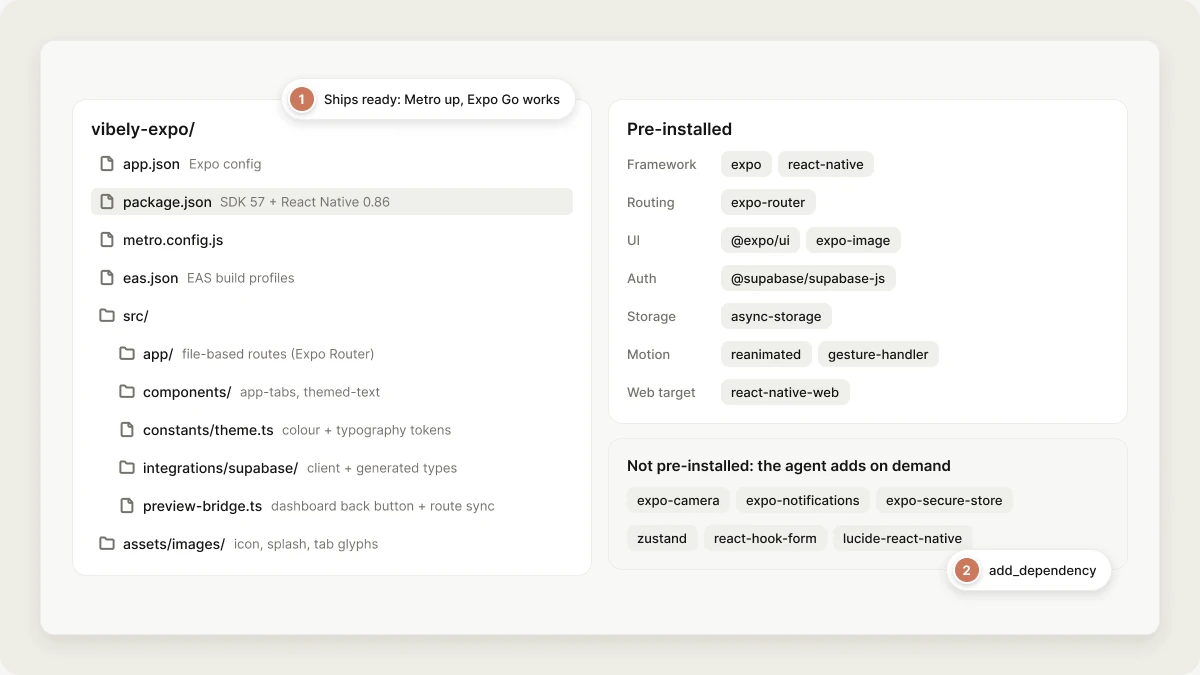
Mobile projects start from the **`vibely-expo`** template. Like its web counterpart, the template ships pre-installed and pre-configured so Metro is up and the iframe / Expo Go can mount before the agent writes its first file.
Looking for reusing **your own** project as a starting point for new projects? That is a different feature — see [Workspace templates](/features/design/workspace-templates).
 ## What's in the box
```
vibely-expo/
├─ app.json # Expo config (name, slug, orientation, plugins)
├─ package.json # SDK 57 + React Native 0.86 deps preinstalled
├─ metro.config.js # HTTPS-only preview rewrite + pinned Metro cache
├─ eas.json # EAS build profiles
├─ tsconfig.json
├─ src/
│ ├─ app/ # file-based routes (Expo Router), flat
│ │ ├─ _layout.tsx # root layout
│ │ └─ index.tsx
│ ├─ components/ # app-tabs, themed-text, themed-view
│ ├─ constants/theme.ts # the app's colour + typography tokens
│ ├─ hooks/ # use-color-scheme, use-theme
│ ├─ integrations/supabase/ # client + generated types
│ └─ preview-bridge.ts # load-bearing: dashboard back button + route sync
└─ assets/images/ # icon, splash, tab glyphs
```
There is no `babel.config.js`, no `tailwind.config.js` and no root `global.css`:
the template styles with `StyleSheet` and the tokens in `src/constants/theme.ts`,
so none of the Tailwind/NativeWind build chain is present.
## Default dependencies
| Category | Package |
| - | - |
| Framework | `expo`, `react-native`, `react`, `react-dom` |
| Routing | `expo-router`, `expo-linking` |
| Styling | none — `StyleSheet` + `src/constants/theme.ts` tokens |
| UI | `@expo/ui`, `expo-glass-effect`, `expo-symbols`, `expo-image` |
| Storage | `@react-native-async-storage/async-storage` |
| Auth | `@supabase/supabase-js`, `react-native-url-polyfill` |
| Device | `expo-constants`, `expo-device`, `expo-font`, `expo-splash-screen`, `expo-status-bar`, `expo-system-ui`, `expo-web-browser` |
| Animation | `react-native-reanimated`, `react-native-worklets`, `react-native-gesture-handler` |
| Navigation | `react-native-screens`, `react-native-safe-area-context` |
| Web target | `react-native-web` |
State management, forms, icons, charts, camera, push notifications, biometrics
and secure storage are **not** pre-installed. The agent has `add_dependency`
available for those and anything else: common adds are `zustand`,
`@tanstack/react-query`, `react-hook-form` + `zod`, `lucide-react-native`,
`expo-secure-store`, `expo-notifications`, `expo-camera`, `expo-blur`,
`expo-linear-gradient`, `react-native-mmkv`.
## Why pre-installed
* **Metro is up before the first prompt finishes parsing.** No `npm install` between you and a preview.
* **Expo Go works immediately.** The QR code scans into a running app, not a blank build.
* **The agent doesn't waste tokens** on RN boilerplate (entry point, navigators, providers). It writes only what varies.
## Custom template
To use your own Expo template:
```bash theme={"system"}
E2B_TEMPLATE_MOBILE=your-org/your-expo-template
```
Requirements:
* A standard Expo project (`expo` in dependencies).
* `start` and `start:web` scripts that bind to ports detectable by `PreviewManager.detectPort()`.
* An `app/` directory if you want Expo Router file-based routes (recommended).
## Pre-baking the template
In production, templates are baked into the sandbox image:
```bash theme={"system"}
bun run bake:e2b
```
This snapshots the template's `node_modules` into the image so a fresh sandbox doesn't pay for `npm install`. Re-bake after changing the template's `package.json`.
## Related topics
- [Workspace templates](/features/design/workspace-templates.md)
- [Mobile App Mode](/features/mobile-apps/overview.md)
- [Web app templates](/features/web-apps/templates.md)
- [Authentication in mobile apps](/features/mobile-apps/auth.md)
- [FAQ](/faq.md)
This documentation is built and hosted on [Mintlify](https://mintlify.com), a developer documentation platform.
## What's in the box
```
vibely-expo/
├─ app.json # Expo config (name, slug, orientation, plugins)
├─ package.json # SDK 57 + React Native 0.86 deps preinstalled
├─ metro.config.js # HTTPS-only preview rewrite + pinned Metro cache
├─ eas.json # EAS build profiles
├─ tsconfig.json
├─ src/
│ ├─ app/ # file-based routes (Expo Router), flat
│ │ ├─ _layout.tsx # root layout
│ │ └─ index.tsx
│ ├─ components/ # app-tabs, themed-text, themed-view
│ ├─ constants/theme.ts # the app's colour + typography tokens
│ ├─ hooks/ # use-color-scheme, use-theme
│ ├─ integrations/supabase/ # client + generated types
│ └─ preview-bridge.ts # load-bearing: dashboard back button + route sync
└─ assets/images/ # icon, splash, tab glyphs
```
There is no `babel.config.js`, no `tailwind.config.js` and no root `global.css`:
the template styles with `StyleSheet` and the tokens in `src/constants/theme.ts`,
so none of the Tailwind/NativeWind build chain is present.
## Default dependencies
| Category | Package |
| - | - |
| Framework | `expo`, `react-native`, `react`, `react-dom` |
| Routing | `expo-router`, `expo-linking` |
| Styling | none — `StyleSheet` + `src/constants/theme.ts` tokens |
| UI | `@expo/ui`, `expo-glass-effect`, `expo-symbols`, `expo-image` |
| Storage | `@react-native-async-storage/async-storage` |
| Auth | `@supabase/supabase-js`, `react-native-url-polyfill` |
| Device | `expo-constants`, `expo-device`, `expo-font`, `expo-splash-screen`, `expo-status-bar`, `expo-system-ui`, `expo-web-browser` |
| Animation | `react-native-reanimated`, `react-native-worklets`, `react-native-gesture-handler` |
| Navigation | `react-native-screens`, `react-native-safe-area-context` |
| Web target | `react-native-web` |
State management, forms, icons, charts, camera, push notifications, biometrics
and secure storage are **not** pre-installed. The agent has `add_dependency`
available for those and anything else: common adds are `zustand`,
`@tanstack/react-query`, `react-hook-form` + `zod`, `lucide-react-native`,
`expo-secure-store`, `expo-notifications`, `expo-camera`, `expo-blur`,
`expo-linear-gradient`, `react-native-mmkv`.
## Why pre-installed
* **Metro is up before the first prompt finishes parsing.** No `npm install` between you and a preview.
* **Expo Go works immediately.** The QR code scans into a running app, not a blank build.
* **The agent doesn't waste tokens** on RN boilerplate (entry point, navigators, providers). It writes only what varies.
## Custom template
To use your own Expo template:
```bash theme={"system"}
E2B_TEMPLATE_MOBILE=your-org/your-expo-template
```
Requirements:
* A standard Expo project (`expo` in dependencies).
* `start` and `start:web` scripts that bind to ports detectable by `PreviewManager.detectPort()`.
* An `app/` directory if you want Expo Router file-based routes (recommended).
## Pre-baking the template
In production, templates are baked into the sandbox image:
```bash theme={"system"}
bun run bake:e2b
```
This snapshots the template's `node_modules` into the image so a fresh sandbox doesn't pay for `npm install`. Re-bake after changing the template's `package.json`.
## Related topics
- [Workspace templates](/features/design/workspace-templates.md)
- [Mobile App Mode](/features/mobile-apps/overview.md)
- [Web app templates](/features/web-apps/templates.md)
- [Authentication in mobile apps](/features/mobile-apps/auth.md)
- [FAQ](/faq.md)
This documentation is built and hosted on [Mintlify](https://mintlify.com), a developer documentation platform.