> ## Documentation Index
> Fetch the complete documentation index at: https://docs.vibely.sh/llms.txt
> Use this file to discover all available pages before exploring further.
# FAQ
> Answers to common questions about building apps, managing projects and your account, security, and how Vibely works.
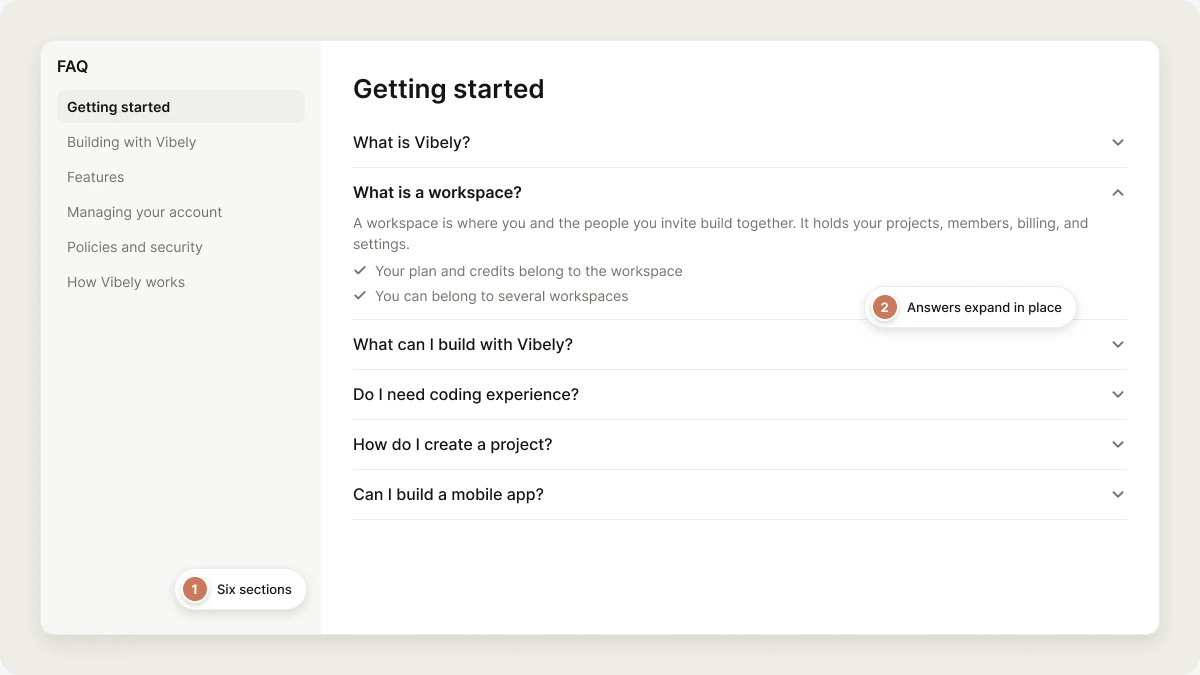 ## Getting started
Vibely is an AI platform that builds web apps and native iOS and Android apps from natural language. You describe what you want, Vibely writes the code, runs it in a cloud sandbox with a live preview, and publishes it when you're ready. See [Welcome to Vibely](/introduction/welcome).
A workspace is where you and the people you invite build together. It holds your projects, members, billing, and settings, and every project lives in exactly one workspace.
* Your plan and credits belong to the workspace, and everyone in it builds from the same pool.
* You can belong to several workspaces and switch between them from the workspace switcher on the dashboard.
* Owners and admins can set usage limits and alerts so no one person uses up the shared credits.
See [Workspace](/features/workspace/overview).
Web apps such as landing pages, SaaS products, dashboards, internal tools, and marketplaces, and native mobile apps for iOS and Android built with Expo. Apps can store data and sign users in through your own [Supabase](/integrations/supabase), take payments with [Stripe](/integrations/stripe) or [RevenueCat](/integrations/revenuecat), and call AI models through [Vibely AI](/features/backend/ai).
No. You build by describing what you want in plain language. If you do write code, every project is a normal codebase you can edit in the [code editor](/features/projects/code-editor) or sync to [GitHub](/integrations/github).
Type a description into the prompt box on the [dashboard](/introduction/dashboard), choose **Web** or **Mobile**, and send it. The [Quick start](/introduction/quickstart) walks through a first project end to end.
Yes. Open **Templates** in the sidebar and start from a working app. On the Business plan, your workspace can also keep its own template library. See [Templates](/features/design/workspace-templates).
Yes. Select **Mobile** above the prompt box to build a native iOS and Android app with Expo. You preview it in the browser and on your phone through Expo Go, and submit it to TestFlight and Google Play from the editor. Mobile projects need a Pro plan or higher. See [Mobile apps](/features/mobile-apps/overview).
## Building with Vibely
* Start small: get the core working before adding logins, databases, and integrations.
* Ask for one change at a time and check the preview after each.
* Use [Plan mode](/features/agent/plan-mode) for large features, so you agree on the approach before code is written.
* Put rules you want followed every time in [Knowledge](/features/context/knowledge) instead of repeating them.
See [Prompting best practices](/prompting/best-practices).
Say who the app is for, what data it handles, and how it should feel. Be specific about where a change should happen and what "done" looks like. The [Prompt library](/prompting/library) has ready-made prompts for common features.
When the preview shows an error, an error card appears in the chat. Select **Try to fix** to run a repair turn, which doesn't cost credits. If that doesn't solve it, describe exactly what you see and what you expected. If a change made things worse, restore an earlier version from [Version history](/features/projects/history). See [Debugging](/prompting/debugging).
Yes. Vibely connects projects to your own [Supabase](/integrations/supabase) account for a Postgres database, authentication, file storage, and edge functions. Pick a Supabase organization or project from **Database** in the **+** menu, or ask Vibely to add one.
Yes. Once the project is connected to Supabase, ask Vibely to add sign-up and login. See [Authentication](/features/backend/auth) for web apps and [Mobile authentication](/features/mobile-apps/auth) for mobile apps.
Yes. Use a [connector](/integrations/connectors/overview) where one exists, such as Stripe, GitHub, Notion, or Linear, or ask Vibely to call any API directly and store its key as a project secret.
Yes. Store them as project secrets, which are encrypted and never returned in plain text. When the agent needs a key, it asks you to enter it in the editor rather than in chat. See [Secrets](/features/backend/secrets).
Connect [Stripe](/integrations/stripe) for web payments and subscriptions, or [RevenueCat](/integrations/revenuecat) for in-app purchases in mobile apps. See [Payments](/features/grow/payments).
Open **SEO & AI search** from the editor header to review how search engines and AI assistants see your app, and ask Vibely to fix what it finds. See [SEO](/features/grow/seo).
A first version usually appears within minutes. A real product takes as many turns as it needs: most people build in short loops of one change at a time.
## Features
Open the project and go to its settings from the editor. See [Project settings](/features/projects/settings).
Yes. Projects are visible to the whole workspace by default. On the Business plan, you can make a project **Restricted**, so only you and the people you invite can open it. See [Collaboration](/features/collaboration/overview).
Yes. Hover the project in the sidebar, open its menu, and select **Rename**.
Remix it. Remixing creates an independent copy you can change freely. See [Remix a project](/features/projects/remix).
Yes. Hover the project in the sidebar, open its menu, and select **Delete**. Deletion is permanent.
In Plan mode, Vibely investigates and writes a plan before changing any code. You review the plan, then approve it to build, or ask for changes. Turn it on with the **Plan mode** toggle next to the send button. See [Plan mode](/features/agent/plan-mode).
Yes. Open the **Code** tab in the editor to browse and edit files directly. See [Code editor](/features/projects/code-editor).
Yes. Turn on **Edits** in the composer and click an element in the preview to change it. See [Visual edits](/features/design/visual-edits).
Yes. Invite people to your workspace or to a single project, and give them the right role. See [Collaboration](/features/collaboration/overview) and [Comments](/features/collaboration/comments).
Yes. Published web apps are hosted on a `vibelyagent.com` address on every plan. See [Hosting](/features/deploy/hosting).
Select **Publish** in the editor, choose the address and who can see the website, and publish. Later changes go live only when you publish again. See [Publish your app](/features/deploy/publish).
Connect a domain you already own from the project's domain settings. Custom domains need a Pro plan or higher. See [Custom domain](/features/deploy/custom-domain).
Yes. Published apps have visitor analytics: visitors, pageviews, sources, devices, and countries. See [Analytics](/features/grow/analytics).
Yes. Use **Upload files or photos** in the **+** menu, paste an image, or drop it into the prompt box. Vibely uses it as a visual reference.
Yes. Download the codebase from the project's Git settings, or sync the project to a GitHub repository. See [Git sync](/integrations/git-sync) and [Code ownership](/features/deploy/ownership).
Every change is saved as a version. Open **Version history** from the editor header to browse versions and restore one. See [Version history](/features/projects/history).
Yes. Connect the [Vibely MCP server](/integrations/vibely-mcp-server) and your assistant can create, iterate on, and publish your projects.
## Managing your account
Go to **Settings → Plans & credit usage** and select **Cancel plan**. See [Plans](/features/account/plans).
Yes. Go to **Settings → Account**, select **Delete account**, and type `delete my account` to confirm. This permanently deletes your account, workspaces, projects, and data. If you own a workspace that still has other members, delete or transfer it first. See [Delete your account](/features/account/deleting).
Go to **Settings → Account**, click **Set up** on the **Two-factor authentication** card, scan the QR code with an authenticator app, then enter the 6-digit code and click **Verify and turn on**. See [Two-factor authentication](/features/account/settings#two-factor-authentication).
Your workspace has **Require two-factor authentication** turned on, so publishing and changing build secrets need a session that has verified a code. Enter the code from your authenticator app, then try again. If you haven't set up two-factor authentication yet, do that first in **Settings → Account**. See [Privacy & security](/features/workspace/privacy-security#require-two-factor-authentication).
Go to **Settings → People** and invite members by email. See [People](/features/workspace/people).
## Policies and security
Ask in the project chat first for anything about your app. For everything else, select **Help** in the account menu, email [support@vibely.sh](mailto:support@vibely.sh), or ask the community on [Discord](https://discord.gg/VqrAzMYh8e). The [Support policy](https://vibely.sh/support-policy) explains what to expect on each plan.
See the [Privacy Policy](https://vibely.sh/privacy-policy), [Terms of Service](https://vibely.sh/terms-of-service), and [Acceptable Use Policy](https://vibely.sh/acceptable-use).
No. Vibely doesn't use your prompts, code, or project data to train models, on any plan. The optional **Allow data collection for training** setting in **Settings → Privacy & security** is off by default. See [Privacy & security](/features/workspace/privacy-security).
Except where the law requires otherwise, fees are non-refundable, including subscriptions and credit purchases. Cancelling stops the next renewal; you keep access until the end of the period you paid for. The details are in the [Terms of Service](https://vibely.sh/terms-of-service).
Vibely publishes a GDPR [Data Processing Agreement](https://vibely.sh/dpa) that applies without signature. Vibely doesn't hold SOC 2 or ISO 27001 today, and no audit is under way. See the [Security page](https://vibely.sh/security) and [Vibely for Enterprise](/introduction/enterprise).
Run a security scan from the project's [Security view](/features/security/project-view) and fix findings from chat before you publish. See [Security best practices](/features/security/best-practices).
## How Vibely works
* **Web projects**: Vite, React, TypeScript, Tailwind CSS, and shadcn/ui.
* **Mobile projects**: Expo and React Native, with Expo Router.
* **Backend**: your own Supabase project (Postgres, auth, storage, and edge functions).
Each project builds and runs in its own cloud sandbox. See [Build engine](/reference/engine/overview).
Vibely reads your project's code and chat history on every turn. For rules that should always apply, add them to project or workspace [Knowledge](/features/context/knowledge). For reusable playbooks, add [Skills](/features/context/skills).
You do. Under the [Terms of Service](https://vibely.sh/terms-of-service), you keep ownership of your prompts and of the code, designs, and projects Vibely generates for you. See [Code ownership](/features/deploy/ownership).
## Related topics
- [Add payments to your app](/features/grow/payments.md)
- [Optimize your app for SEO and AI search](/features/grow/seo.md)
- [Build from an existing website](/features/design/build-from-url.md)
- [Design guidance](/features/design/design-guidance.md)
- [Design systems](/features/design/design-systems.md)
This documentation is built and hosted on [Mintlify](https://mintlify.com), a developer documentation platform.
## Getting started
Vibely is an AI platform that builds web apps and native iOS and Android apps from natural language. You describe what you want, Vibely writes the code, runs it in a cloud sandbox with a live preview, and publishes it when you're ready. See [Welcome to Vibely](/introduction/welcome).
A workspace is where you and the people you invite build together. It holds your projects, members, billing, and settings, and every project lives in exactly one workspace.
* Your plan and credits belong to the workspace, and everyone in it builds from the same pool.
* You can belong to several workspaces and switch between them from the workspace switcher on the dashboard.
* Owners and admins can set usage limits and alerts so no one person uses up the shared credits.
See [Workspace](/features/workspace/overview).
Web apps such as landing pages, SaaS products, dashboards, internal tools, and marketplaces, and native mobile apps for iOS and Android built with Expo. Apps can store data and sign users in through your own [Supabase](/integrations/supabase), take payments with [Stripe](/integrations/stripe) or [RevenueCat](/integrations/revenuecat), and call AI models through [Vibely AI](/features/backend/ai).
No. You build by describing what you want in plain language. If you do write code, every project is a normal codebase you can edit in the [code editor](/features/projects/code-editor) or sync to [GitHub](/integrations/github).
Type a description into the prompt box on the [dashboard](/introduction/dashboard), choose **Web** or **Mobile**, and send it. The [Quick start](/introduction/quickstart) walks through a first project end to end.
Yes. Open **Templates** in the sidebar and start from a working app. On the Business plan, your workspace can also keep its own template library. See [Templates](/features/design/workspace-templates).
Yes. Select **Mobile** above the prompt box to build a native iOS and Android app with Expo. You preview it in the browser and on your phone through Expo Go, and submit it to TestFlight and Google Play from the editor. Mobile projects need a Pro plan or higher. See [Mobile apps](/features/mobile-apps/overview).
## Building with Vibely
* Start small: get the core working before adding logins, databases, and integrations.
* Ask for one change at a time and check the preview after each.
* Use [Plan mode](/features/agent/plan-mode) for large features, so you agree on the approach before code is written.
* Put rules you want followed every time in [Knowledge](/features/context/knowledge) instead of repeating them.
See [Prompting best practices](/prompting/best-practices).
Say who the app is for, what data it handles, and how it should feel. Be specific about where a change should happen and what "done" looks like. The [Prompt library](/prompting/library) has ready-made prompts for common features.
When the preview shows an error, an error card appears in the chat. Select **Try to fix** to run a repair turn, which doesn't cost credits. If that doesn't solve it, describe exactly what you see and what you expected. If a change made things worse, restore an earlier version from [Version history](/features/projects/history). See [Debugging](/prompting/debugging).
Yes. Vibely connects projects to your own [Supabase](/integrations/supabase) account for a Postgres database, authentication, file storage, and edge functions. Pick a Supabase organization or project from **Database** in the **+** menu, or ask Vibely to add one.
Yes. Once the project is connected to Supabase, ask Vibely to add sign-up and login. See [Authentication](/features/backend/auth) for web apps and [Mobile authentication](/features/mobile-apps/auth) for mobile apps.
Yes. Use a [connector](/integrations/connectors/overview) where one exists, such as Stripe, GitHub, Notion, or Linear, or ask Vibely to call any API directly and store its key as a project secret.
Yes. Store them as project secrets, which are encrypted and never returned in plain text. When the agent needs a key, it asks you to enter it in the editor rather than in chat. See [Secrets](/features/backend/secrets).
Connect [Stripe](/integrations/stripe) for web payments and subscriptions, or [RevenueCat](/integrations/revenuecat) for in-app purchases in mobile apps. See [Payments](/features/grow/payments).
Open **SEO & AI search** from the editor header to review how search engines and AI assistants see your app, and ask Vibely to fix what it finds. See [SEO](/features/grow/seo).
A first version usually appears within minutes. A real product takes as many turns as it needs: most people build in short loops of one change at a time.
## Features
Open the project and go to its settings from the editor. See [Project settings](/features/projects/settings).
Yes. Projects are visible to the whole workspace by default. On the Business plan, you can make a project **Restricted**, so only you and the people you invite can open it. See [Collaboration](/features/collaboration/overview).
Yes. Hover the project in the sidebar, open its menu, and select **Rename**.
Remix it. Remixing creates an independent copy you can change freely. See [Remix a project](/features/projects/remix).
Yes. Hover the project in the sidebar, open its menu, and select **Delete**. Deletion is permanent.
In Plan mode, Vibely investigates and writes a plan before changing any code. You review the plan, then approve it to build, or ask for changes. Turn it on with the **Plan mode** toggle next to the send button. See [Plan mode](/features/agent/plan-mode).
Yes. Open the **Code** tab in the editor to browse and edit files directly. See [Code editor](/features/projects/code-editor).
Yes. Turn on **Edits** in the composer and click an element in the preview to change it. See [Visual edits](/features/design/visual-edits).
Yes. Invite people to your workspace or to a single project, and give them the right role. See [Collaboration](/features/collaboration/overview) and [Comments](/features/collaboration/comments).
Yes. Published web apps are hosted on a `vibelyagent.com` address on every plan. See [Hosting](/features/deploy/hosting).
Select **Publish** in the editor, choose the address and who can see the website, and publish. Later changes go live only when you publish again. See [Publish your app](/features/deploy/publish).
Connect a domain you already own from the project's domain settings. Custom domains need a Pro plan or higher. See [Custom domain](/features/deploy/custom-domain).
Yes. Published apps have visitor analytics: visitors, pageviews, sources, devices, and countries. See [Analytics](/features/grow/analytics).
Yes. Use **Upload files or photos** in the **+** menu, paste an image, or drop it into the prompt box. Vibely uses it as a visual reference.
Yes. Download the codebase from the project's Git settings, or sync the project to a GitHub repository. See [Git sync](/integrations/git-sync) and [Code ownership](/features/deploy/ownership).
Every change is saved as a version. Open **Version history** from the editor header to browse versions and restore one. See [Version history](/features/projects/history).
Yes. Connect the [Vibely MCP server](/integrations/vibely-mcp-server) and your assistant can create, iterate on, and publish your projects.
## Managing your account
Go to **Settings → Plans & credit usage** and select **Cancel plan**. See [Plans](/features/account/plans).
Yes. Go to **Settings → Account**, select **Delete account**, and type `delete my account` to confirm. This permanently deletes your account, workspaces, projects, and data. If you own a workspace that still has other members, delete or transfer it first. See [Delete your account](/features/account/deleting).
Go to **Settings → Account**, click **Set up** on the **Two-factor authentication** card, scan the QR code with an authenticator app, then enter the 6-digit code and click **Verify and turn on**. See [Two-factor authentication](/features/account/settings#two-factor-authentication).
Your workspace has **Require two-factor authentication** turned on, so publishing and changing build secrets need a session that has verified a code. Enter the code from your authenticator app, then try again. If you haven't set up two-factor authentication yet, do that first in **Settings → Account**. See [Privacy & security](/features/workspace/privacy-security#require-two-factor-authentication).
Go to **Settings → People** and invite members by email. See [People](/features/workspace/people).
## Policies and security
Ask in the project chat first for anything about your app. For everything else, select **Help** in the account menu, email [support@vibely.sh](mailto:support@vibely.sh), or ask the community on [Discord](https://discord.gg/VqrAzMYh8e). The [Support policy](https://vibely.sh/support-policy) explains what to expect on each plan.
See the [Privacy Policy](https://vibely.sh/privacy-policy), [Terms of Service](https://vibely.sh/terms-of-service), and [Acceptable Use Policy](https://vibely.sh/acceptable-use).
No. Vibely doesn't use your prompts, code, or project data to train models, on any plan. The optional **Allow data collection for training** setting in **Settings → Privacy & security** is off by default. See [Privacy & security](/features/workspace/privacy-security).
Except where the law requires otherwise, fees are non-refundable, including subscriptions and credit purchases. Cancelling stops the next renewal; you keep access until the end of the period you paid for. The details are in the [Terms of Service](https://vibely.sh/terms-of-service).
Vibely publishes a GDPR [Data Processing Agreement](https://vibely.sh/dpa) that applies without signature. Vibely doesn't hold SOC 2 or ISO 27001 today, and no audit is under way. See the [Security page](https://vibely.sh/security) and [Vibely for Enterprise](/introduction/enterprise).
Run a security scan from the project's [Security view](/features/security/project-view) and fix findings from chat before you publish. See [Security best practices](/features/security/best-practices).
## How Vibely works
* **Web projects**: Vite, React, TypeScript, Tailwind CSS, and shadcn/ui.
* **Mobile projects**: Expo and React Native, with Expo Router.
* **Backend**: your own Supabase project (Postgres, auth, storage, and edge functions).
Each project builds and runs in its own cloud sandbox. See [Build engine](/reference/engine/overview).
Vibely reads your project's code and chat history on every turn. For rules that should always apply, add them to project or workspace [Knowledge](/features/context/knowledge). For reusable playbooks, add [Skills](/features/context/skills).
You do. Under the [Terms of Service](https://vibely.sh/terms-of-service), you keep ownership of your prompts and of the code, designs, and projects Vibely generates for you. See [Code ownership](/features/deploy/ownership).
## Related topics
- [Add payments to your app](/features/grow/payments.md)
- [Optimize your app for SEO and AI search](/features/grow/seo.md)
- [Build from an existing website](/features/design/build-from-url.md)
- [Design guidance](/features/design/design-guidance.md)
- [Design systems](/features/design/design-systems.md)
This documentation is built and hosted on [Mintlify](https://mintlify.com), a developer documentation platform.