> ## Documentation Index
> Fetch the complete documentation index at: https://docs.vibely.sh/docs/llms.txt
> Use this file to discover all available pages before exploring further.
# Create an account
> Sign up, pick a plan, and land in your first workspace — under two minutes.
Signing up takes under two minutes: pick a sign-in method, pick a plan, and you land in a personal workspace with a starter project ready to clone.
## Sign up
Go to [vibely.sh](https://vibely.sh/code) and click **Login**.
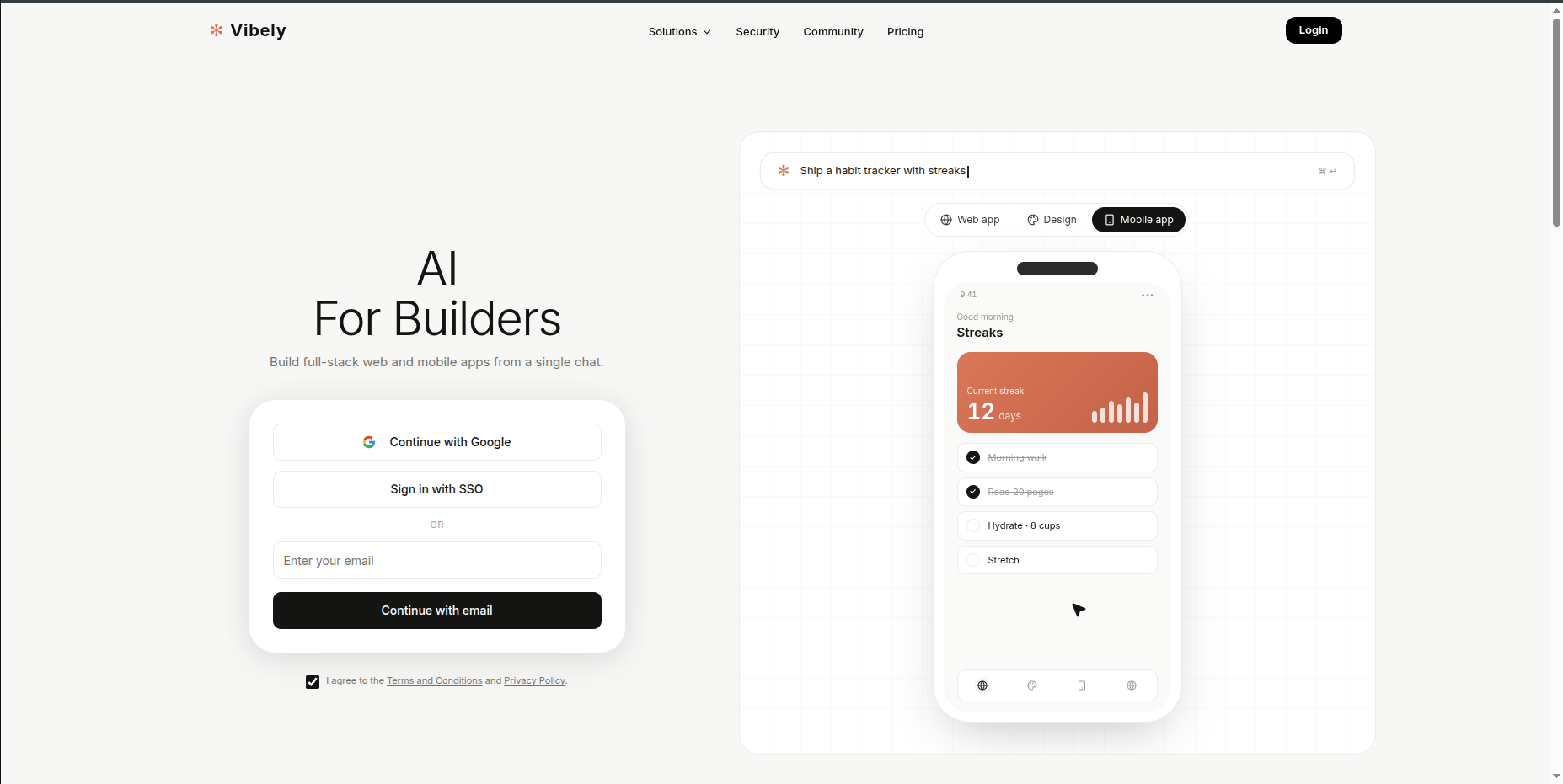 Google is one-click. SSO (Okta, Google Workspace, Microsoft Entra) lets your IT-managed identity log you in if your workspace has SSO configured. Email-and-password works if you'd rather not link a provider — Vibely sends a verification link to confirm.
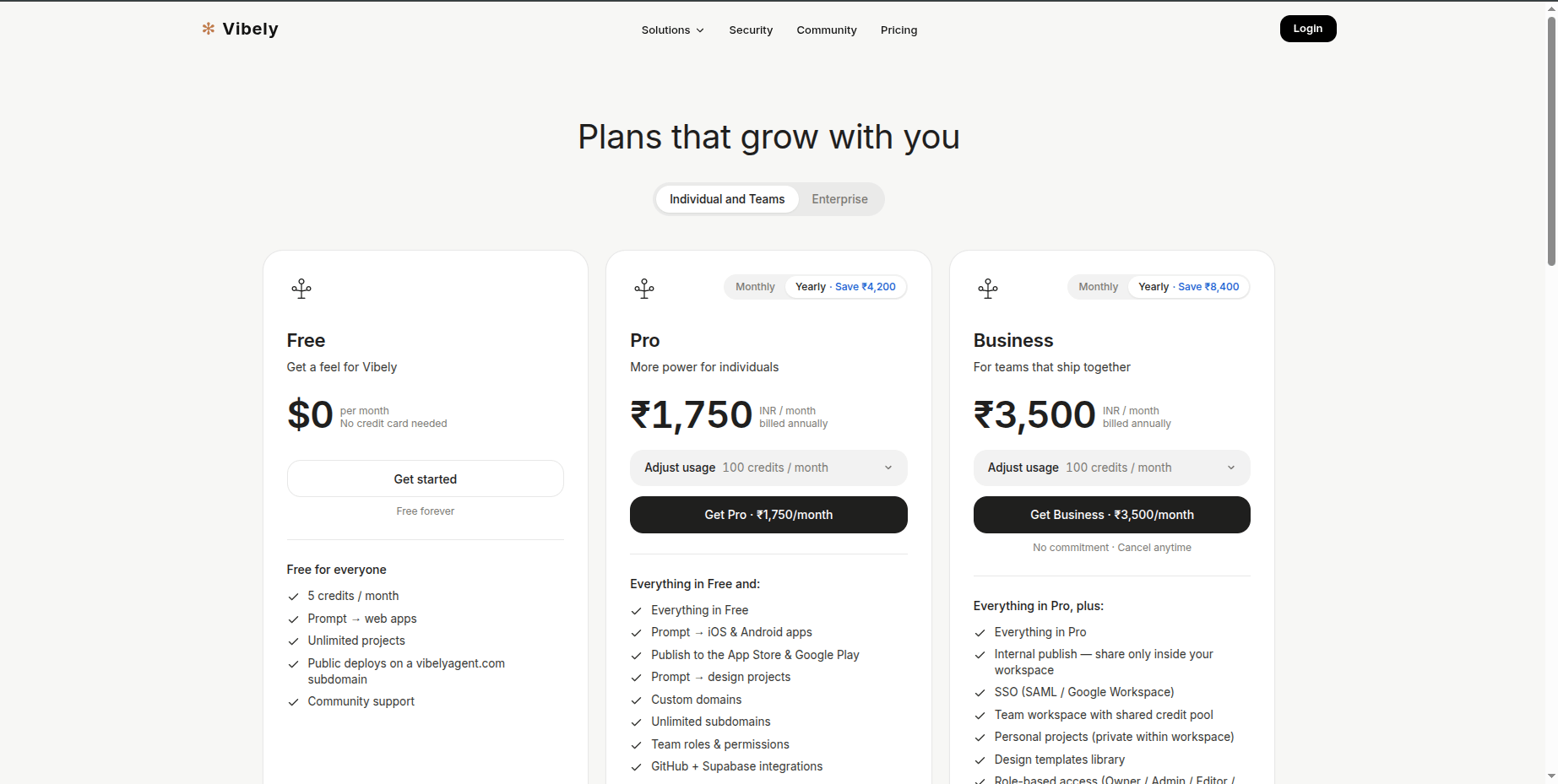
[Free](/docs/introduction/plans-credits) is the default. Pro and Business are options if you need more credits or are inviting people from day one. You can upgrade or downgrade any time.
Google is one-click. SSO (Okta, Google Workspace, Microsoft Entra) lets your IT-managed identity log you in if your workspace has SSO configured. Email-and-password works if you'd rather not link a provider — Vibely sends a verification link to confirm.
[Free](/docs/introduction/plans-credits) is the default. Pro and Business are options if you need more credits or are inviting people from day one. You can upgrade or downgrade any time.
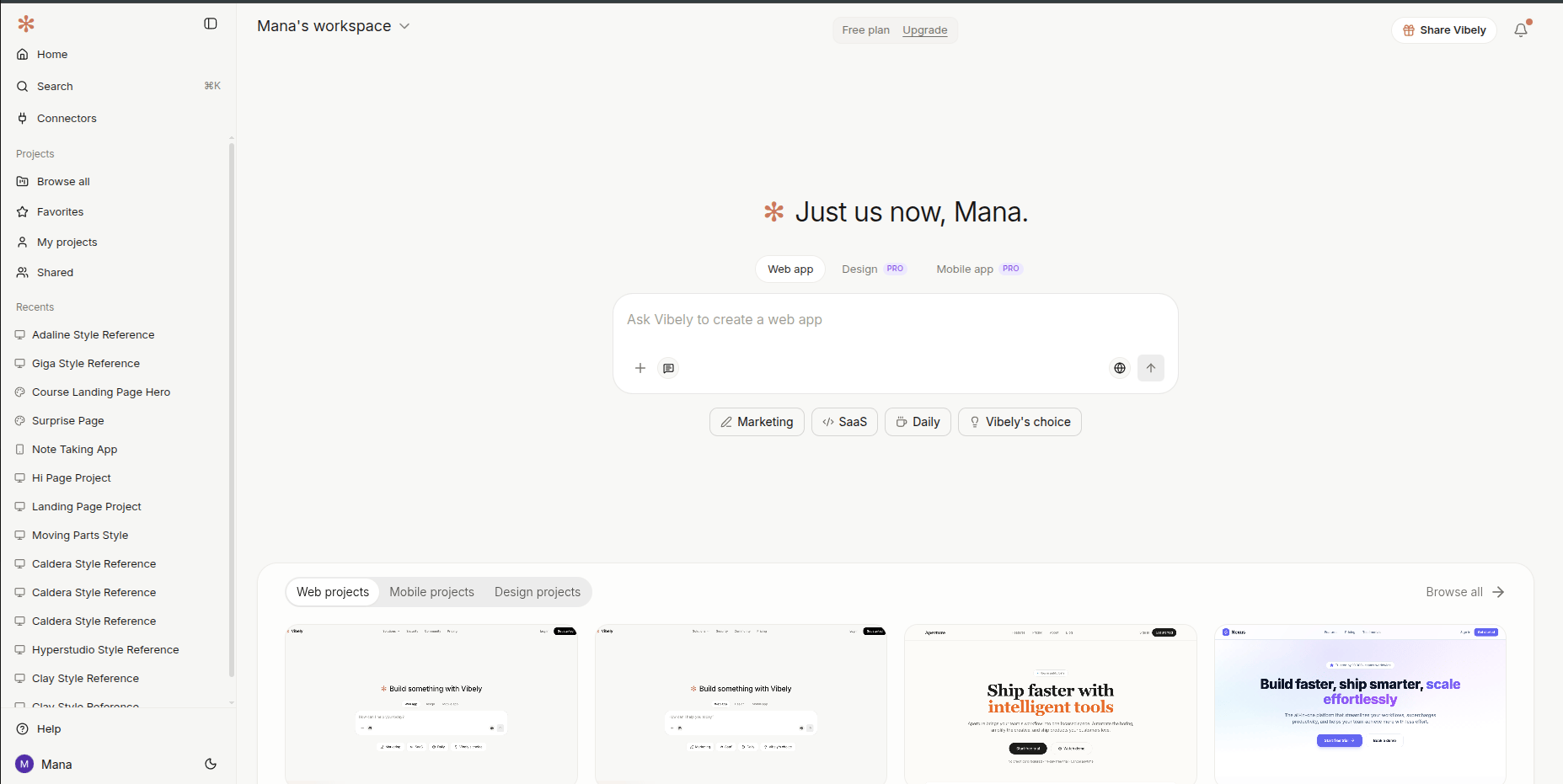
 Vibely drops you into your personal workspace with a starter project. Type your first prompt to start building — see [Quick start](/docs/introduction/quick-start).
 ## What you get out of the box
Your personal workspace is ready to use immediately. The defaults work for everything most people do; you don't have to configure anything on day one.
| Default | What it means |
| ---------------------------------------- | ------------------------------------------------------------------------------------------------------------------------------------ |
| Personal workspace | Just you, isolated from any team you might join later |
| Smart model routing | Vibely picks the best model per turn — no setup required |
| Shared connectors | Slack, Stripe, Notion, and 40+ others ready to authorize |
| Default Supabase backend | Auth and database wired automatically when you ask for them |
| AI integration ready | Drop OpenAI, Anthropic, Gemini, or any model into your own app — the agent wires the SDK, env vars, and a streaming endpoint for you |
| Free `*.vibelyagent.com` URL per project | Branded preview URLs for sharing |
## Things to set up later
None of this is required on day one. Most people come back to these after their first or second project, once they have a clearer sense of what they actually need.
* **Connect Supabase — or skip it.** When you start a project, Vibely asks if you want to connect Supabase. You can **skip** and keep building with mock data — perfect for prototypes, demos, and validating an idea fast. Or **connect Supabase** to get real persistent data, auth, and row-level security wired in automatically. You can switch from mock to Supabase later in a single turn — just ask the agent.
* **Rename your workspace.** "Nishant's Workspace" is fine for solo work, but worth renaming the moment you invite teammates.
* **Connect GitHub.** Two-way sync per project — review changes as PRs, branch freely, and take the code anywhere. See [Project settings → GitHub](/docs/workspace/project-settings#github).
* **Invite teammates.** Add collaborators with role-based access — Owner, Admin, Editor, Viewer. (The Admin role is available on Pro and Business.) See [People](/docs/workspace/people).
* **Author a skill or two.** Codify the way you build a landing page, the way you ship a CRUD admin, the way you set up a deploy. Skills are invokable from the composer with `/skill-name`. See [Skills](/docs/customize/skills).
## Next
Build your first app in five minutes.
A one-thing-per-day arc from sign-up to shipping.
What you'll pay for, and how to keep an eye on usage.
Five-minute setup that pays back every future session.
## What you get out of the box
Your personal workspace is ready to use immediately. The defaults work for everything most people do; you don't have to configure anything on day one.
| Default | What it means |
| ---------------------------------------- | ------------------------------------------------------------------------------------------------------------------------------------ |
| Personal workspace | Just you, isolated from any team you might join later |
| Smart model routing | Vibely picks the best model per turn — no setup required |
| Shared connectors | Slack, Stripe, Notion, and 40+ others ready to authorize |
| Default Supabase backend | Auth and database wired automatically when you ask for them |
| AI integration ready | Drop OpenAI, Anthropic, Gemini, or any model into your own app — the agent wires the SDK, env vars, and a streaming endpoint for you |
| Free `*.vibelyagent.com` URL per project | Branded preview URLs for sharing |
## Things to set up later
None of this is required on day one. Most people come back to these after their first or second project, once they have a clearer sense of what they actually need.
* **Connect Supabase — or skip it.** When you start a project, Vibely asks if you want to connect Supabase. You can **skip** and keep building with mock data — perfect for prototypes, demos, and validating an idea fast. Or **connect Supabase** to get real persistent data, auth, and row-level security wired in automatically. You can switch from mock to Supabase later in a single turn — just ask the agent.
* **Rename your workspace.** "Nishant's Workspace" is fine for solo work, but worth renaming the moment you invite teammates.
* **Connect GitHub.** Two-way sync per project — review changes as PRs, branch freely, and take the code anywhere. See [Project settings → GitHub](/docs/workspace/project-settings#github).
* **Invite teammates.** Add collaborators with role-based access — Owner, Admin, Editor, Viewer. (The Admin role is available on Pro and Business.) See [People](/docs/workspace/people).
* **Author a skill or two.** Codify the way you build a landing page, the way you ship a CRUD admin, the way you set up a deploy. Skills are invokable from the composer with `/skill-name`. See [Skills](/docs/customize/skills).
## Next
Build your first app in five minutes.
A one-thing-per-day arc from sign-up to shipping.
What you'll pay for, and how to keep an eye on usage.
Five-minute setup that pays back every future session.