> ## Documentation Index
> Fetch the complete documentation index at: https://docs.vibely.sh/docs/llms.txt
> Use this file to discover all available pages before exploring further.
# Notifications
> Email, push, and in-chat alerts — what fires what, and how to mute the noise.
The Notifications inbox is your single feed for everything happening across Vibely — product updates, invitations from other workspaces or projects, build/deploy outcomes, connector reauth prompts, and anything else worth your attention. Open the bell icon in the top bar to see it.
## What lands in the inbox
* **What's new in Vibely** — feature launches, model upgrades, and important platform changes (the same updates published in the [Changelog](/docs/changelog/overview), surfaced in-app as they ship).
* **Workspace invitations** — when someone invites you to their workspace, accept or decline from the inbox without leaving your current project.
* **Project invitations** — collaborators adding you to a specific project show up here too, so you don't miss a hand-off.
* **Build & deploy events** — completions, failures, and publish results across your projects.
* **Connector reauth prompts** — Slack, Stripe, GitHub, and other connectors expiring or needing re-consent.
* **Billing & credit alerts** — thresholds crossed, top-up confirmations, plan changes.
* **Comments and mentions** — replies on your threads, mentions in someone else's, resolutions.
Each item is actionable — click to jump to the project, accept/decline an invite, or reauth a connector inline.
### What's New / Announcements feed
The bell drops a small unread dot when a new platform announcement lands. The feed inside is what Vibely's team publishes — feature launches, model upgrades, important platform changes — and it's the same stream you'll see at the public [`/changelog`](https://vibely.sh/changelog). Open the bell to clear the unread dot; the items stick around so you can scroll back.
This is the right surface for "what shipped this week" — not email, not the Slack of your choice.
## Channels
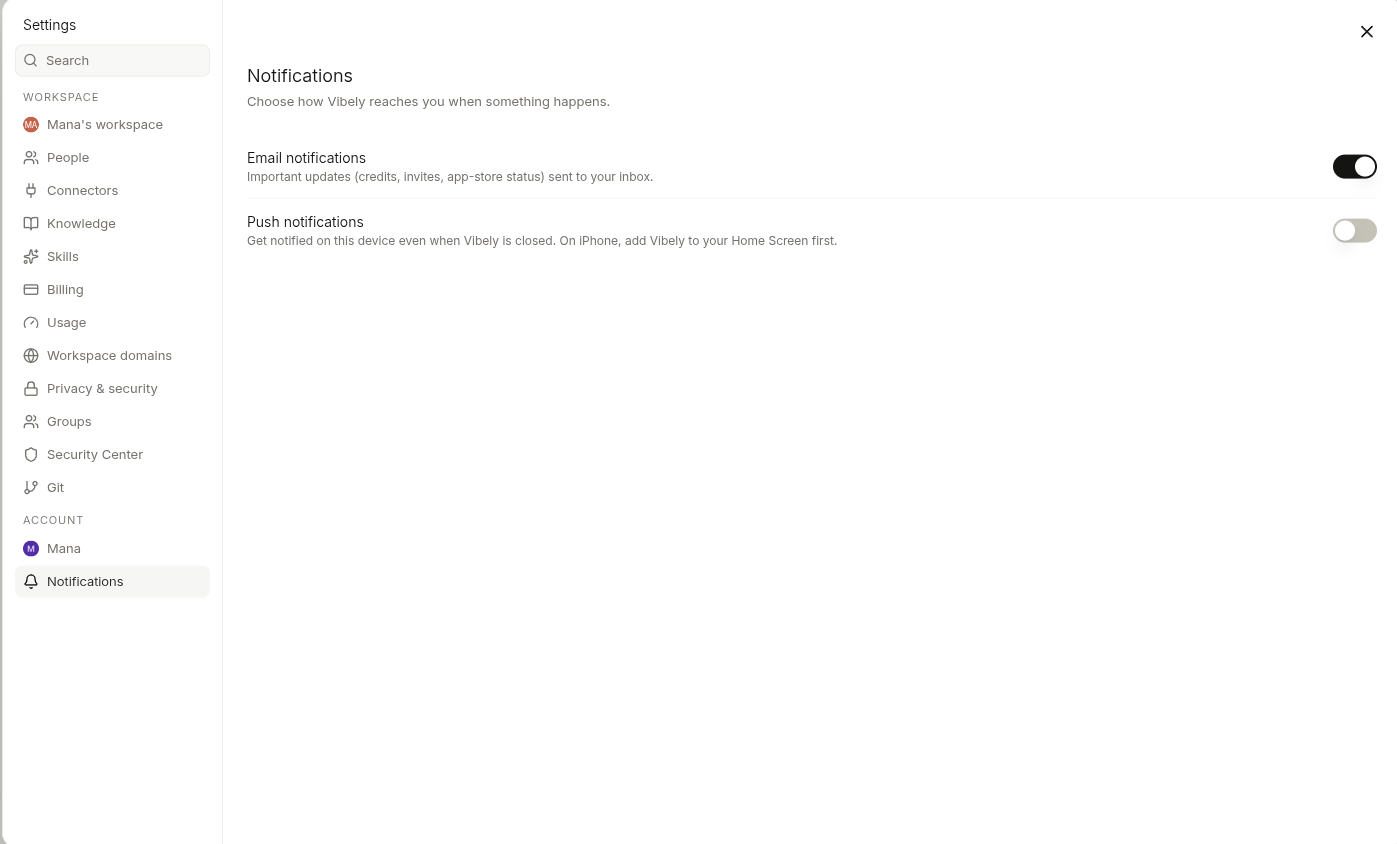
Vibely has three notification channels. Each event can be routed to any combination of them — including none.
| Channel | Where it shows up | Default |
| ----------- | --------------------------------------------- | ------- |
| **Email** | Your notification email (set in Account) | On |
| **Push** | Browser push (desktop & mobile, when granted) | Off |
| **In-chat** | A bell badge inside the Vibely app | On |
Change them in **Settings → Notifications**.
 ## What can fire
The full set of events Vibely will notify on:
| Event | Fires when | Recommended channel |
| ------------------------- | ---------------------------------------------------- | ------------------- |
| Product update | A new feature or major improvement ships on Vibely | In-chat |
| Build completed | A long-running build / generation finishes | Push |
| Build failed | A build errored out | Email + In-chat |
| Deploy completed | Publish to preview or production succeeded | In-chat |
| Deploy failed | Publish errored out | Email + In-chat |
| Connector auth expired | A connector (Slack, Stripe, GitHub) needs reauth | Email + In-chat |
| Workspace invite received | Someone invited you to their workspace | Email + In-chat |
| Project invite received | Someone added you as a collaborator on a project | Email + In-chat |
| Workspace invite accepted | Someone you invited joined | In-chat |
| Billing threshold hit | You crossed 50% / 80% / 100% of your monthly credits | Email |
| Comment / mention | A new comment or @mention on a project preview | In-chat |
| What's new | A platform announcement is published | In-chat |
Each row is independently toggleable. Turning off "Build completed" doesn't touch "Build failed" — most people keep failures noisy and successes quiet.
## Sensible defaults for common roles
If you don't want to think about it, copy one of these:
**Heads-down builder** — only failures and connector reauth:
```
Build completed → off
Build failed → Email + In-chat
Deploy completed → off
Deploy failed → Email + In-chat
Connector expired → Email + In-chat
Invites → In-chat
Billing → Email (only the 80% and 100% rows)
```
**On a team, watching builds** — push on all completions, mute the digest:
```
Build completed → Push
Build failed → Push + In-chat
Deploy completed → Push
Deploy failed → Push + In-chat
Connector expired → Email
Invites → In-chat
Billing → Email
```
**Trying Vibely casually** — only the things that block you:
```
Build failed → In-chat
Deploy failed → In-chat
Connector expired → In-chat
Billing → Email
Everything else → off
```
## Push notifications
Push requires browser permission. The first time you toggle any push row on, Vibely asks for permission. Deny once and most browsers will silently block future asks — re-enable via your browser's site settings for `vibely.sh`.
Push works on:
* Desktop Chrome, Edge, Brave, Firefox
* Mobile Chrome on Android
* Mobile Safari (iOS 16.4+) **only when Vibely is installed as a PWA** ("Add to Home Screen")
Mobile Safari without PWA install can't receive web push at all — that's an Apple constraint, not a Vibely one.
## Email — primary vs notification
Two email addresses live on your account:
* **Primary email** — sign-in, billing receipts, security alerts. Always-on, can't be muted.
* **Notification email** — everything in the table above. Defaults to your primary; change it if you want notifications routed to a personal address while billing stays on a corporate one.
Set both in **Settings → Account**.
## Quiet hours
Not yet supported — every event fires immediately on whichever channels you've enabled. Mute the rows you don't need; that catches most cases.
## Unsubscribing entirely
Every Vibely email has an unsubscribe footer that mutes *that event type* globally. Use it instead of marking emails as spam — once enough recipients spam-mark, deliverability for legitimate emails (verification, billing) suffers for everyone on the platform.
## What can fire
The full set of events Vibely will notify on:
| Event | Fires when | Recommended channel |
| ------------------------- | ---------------------------------------------------- | ------------------- |
| Product update | A new feature or major improvement ships on Vibely | In-chat |
| Build completed | A long-running build / generation finishes | Push |
| Build failed | A build errored out | Email + In-chat |
| Deploy completed | Publish to preview or production succeeded | In-chat |
| Deploy failed | Publish errored out | Email + In-chat |
| Connector auth expired | A connector (Slack, Stripe, GitHub) needs reauth | Email + In-chat |
| Workspace invite received | Someone invited you to their workspace | Email + In-chat |
| Project invite received | Someone added you as a collaborator on a project | Email + In-chat |
| Workspace invite accepted | Someone you invited joined | In-chat |
| Billing threshold hit | You crossed 50% / 80% / 100% of your monthly credits | Email |
| Comment / mention | A new comment or @mention on a project preview | In-chat |
| What's new | A platform announcement is published | In-chat |
Each row is independently toggleable. Turning off "Build completed" doesn't touch "Build failed" — most people keep failures noisy and successes quiet.
## Sensible defaults for common roles
If you don't want to think about it, copy one of these:
**Heads-down builder** — only failures and connector reauth:
```
Build completed → off
Build failed → Email + In-chat
Deploy completed → off
Deploy failed → Email + In-chat
Connector expired → Email + In-chat
Invites → In-chat
Billing → Email (only the 80% and 100% rows)
```
**On a team, watching builds** — push on all completions, mute the digest:
```
Build completed → Push
Build failed → Push + In-chat
Deploy completed → Push
Deploy failed → Push + In-chat
Connector expired → Email
Invites → In-chat
Billing → Email
```
**Trying Vibely casually** — only the things that block you:
```
Build failed → In-chat
Deploy failed → In-chat
Connector expired → In-chat
Billing → Email
Everything else → off
```
## Push notifications
Push requires browser permission. The first time you toggle any push row on, Vibely asks for permission. Deny once and most browsers will silently block future asks — re-enable via your browser's site settings for `vibely.sh`.
Push works on:
* Desktop Chrome, Edge, Brave, Firefox
* Mobile Chrome on Android
* Mobile Safari (iOS 16.4+) **only when Vibely is installed as a PWA** ("Add to Home Screen")
Mobile Safari without PWA install can't receive web push at all — that's an Apple constraint, not a Vibely one.
## Email — primary vs notification
Two email addresses live on your account:
* **Primary email** — sign-in, billing receipts, security alerts. Always-on, can't be muted.
* **Notification email** — everything in the table above. Defaults to your primary; change it if you want notifications routed to a personal address while billing stays on a corporate one.
Set both in **Settings → Account**.
## Quiet hours
Not yet supported — every event fires immediately on whichever channels you've enabled. Mute the rows you don't need; that catches most cases.
## Unsubscribing entirely
Every Vibely email has an unsubscribe footer that mutes *that event type* globally. Use it instead of marking emails as spam — once enough recipients spam-mark, deliverability for legitimate emails (verification, billing) suffers for everyone on the platform.